Use and maintenance manual
Page 37
Engineering Department PHONE: +39 0532 829 965 - FAX: +39 0532 829 177
E-Mail: support@elenos.com
3. USER INSTRUCTIONS
3.4.10.
RDS Encoder
Programming
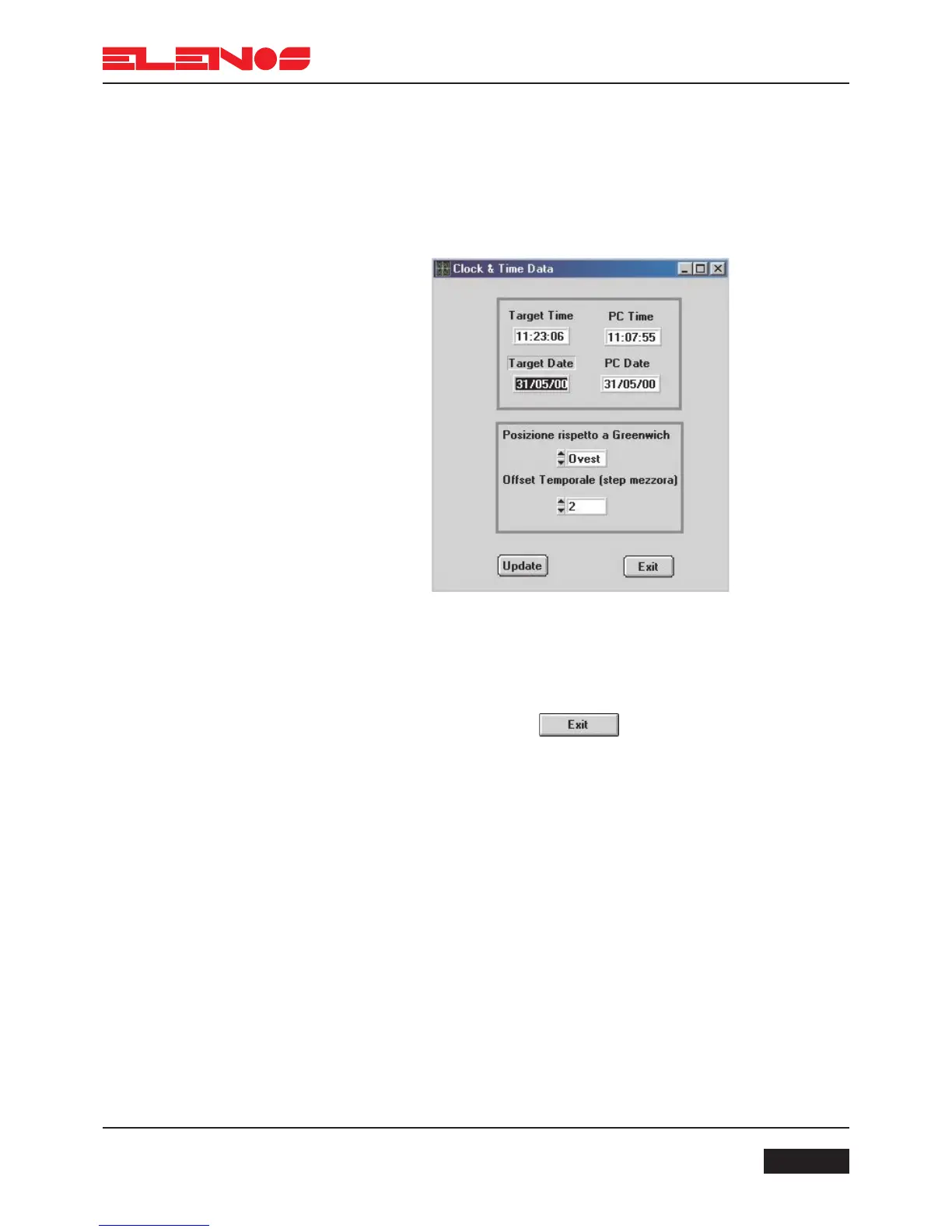
2. Double-click on the TARGET TIME box and enter the time local to where the broadca-
ster is transmitting.
3. Double click on the TARGET DATE box and enter the date.
4. Select the location with respect to Greenwich (the RDS system is able to update the time
according to the country in which it is transmitting).
5. Press the UPDATE key to transfer the data to the encoder.
If the EXIT key is pressed, the clock-calendar will not be changed.
Once the programming is complete, the PC can be diconnected and used for other pur-
poses. Clicking the mouse on the EXIT key will terminate programming of the encoder.



 To Next Page