I.
Position the rotary switch on the EV / "clamp"
II.
Press the F1 button to set to CURRENT (if it is not already visible).
III.
Press the F2 button to set the Current Adapter model. (EST-40, EST-68, EST-150)
IV.
Connect the Clamp adaptor as shown in Fig. 6.10.1 or 6.10.2 and connect it to the adapter terminal
of the product.
V.
Test button Continuous measurement is performed with one measurement and pressing the Test
button again stops the measurement.
VI.
The measured value is held on the screen.
CURRENT
ETRC040
A
1 sec.
Start
0
0
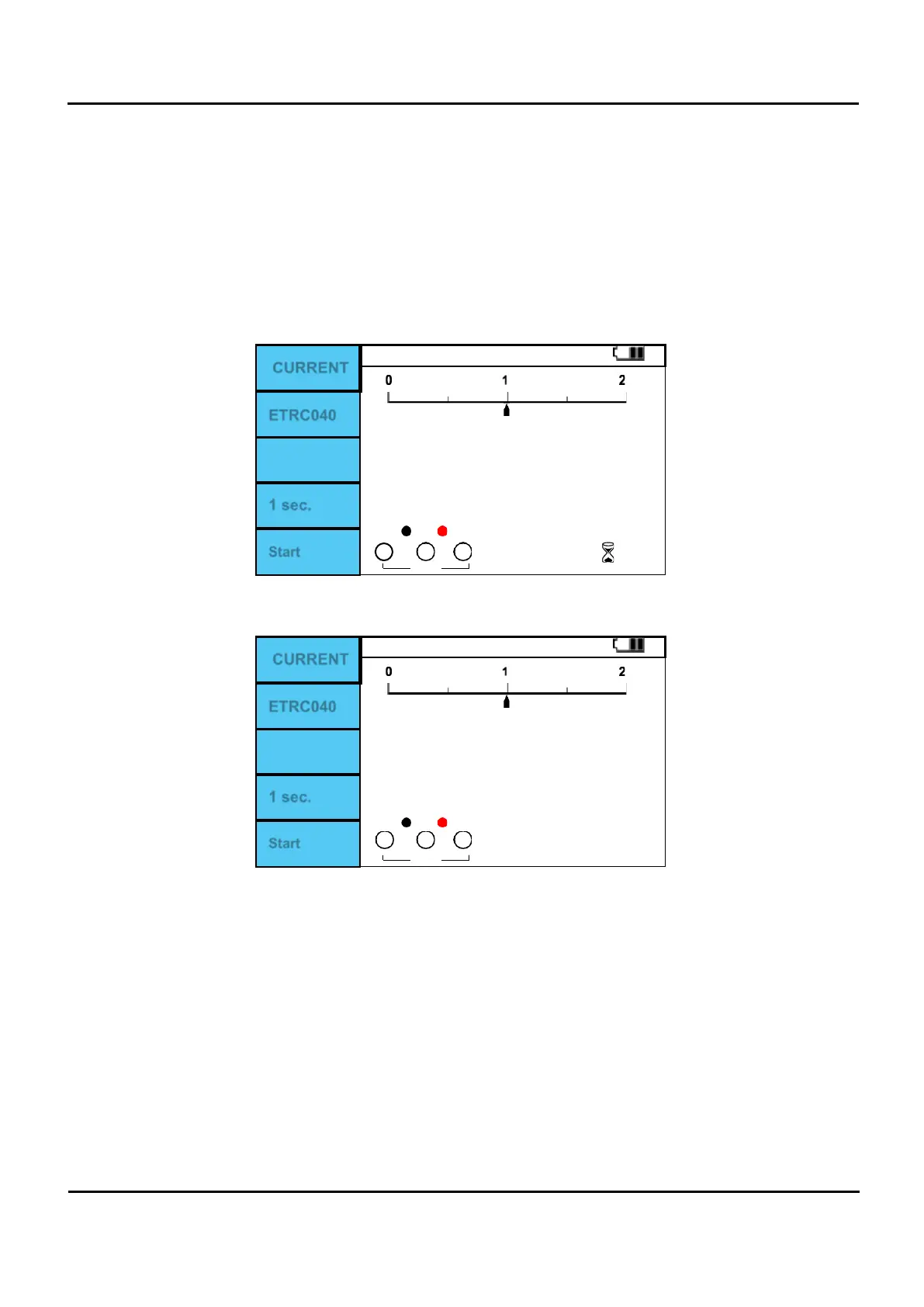
Figure 6.10.4 Adaptor/ Current Clamp Measuring.
CURRENT
ETRC040
A
1 sec.
Start
0
0
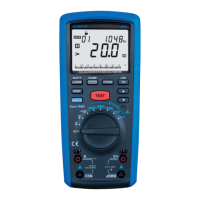
Figure 6.10.5 Adaptor/ Current Clamp Measurement completed.
The F4 button sets the saving time for Data logging. (1sec,10sec,60sec,10min,60min)
The measurement must be in progress for the F5 button to work. If the F5 (Start) button is pressed
during measurement, a Logging file must be selected.


 To Next Page