Adaptor / CURRENT Data logging
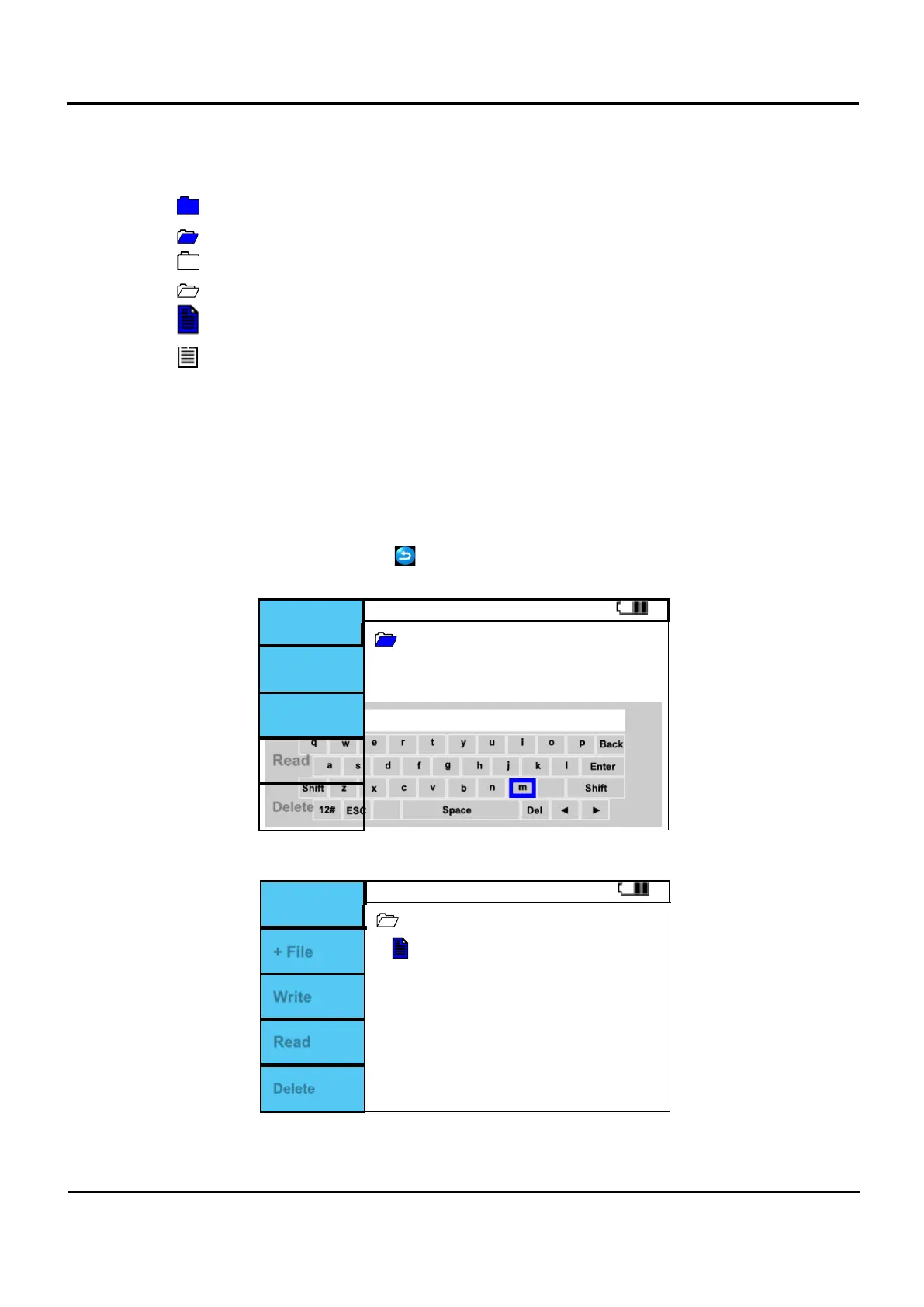
Symbol
: The selected closed folder.
: The selected open folder.
: Closed folder not selected.
: Open folder that is not selected.
: Selected Files.
: Unselected files.
I.
Fig. 6.10.4 Press the F5 button during Adaptor / Current Clamp measurement.
II.
The screen is changed to the Memory manager function.
III.
The LOG folder is dedicated to Data logging.
IV.
Press F2 (+ File) button in the open folder with LOG selected as shown below.
V.
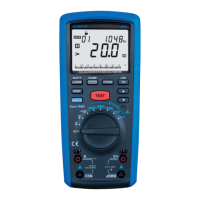
When F2 (+ File) button is pressed, the keyboard is displayed on the screen, and the left, right, up,
down, and buttons are used to place the alphabet. When the MEM (enter) button is pressed, the
alphabet is selected and displayed in the guidance window.
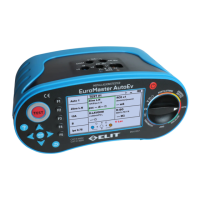
Create a file name and press the button. A file is generated as shown in Figure 6.10.7. The
extension is automatically generated as * .txt.
LOG
+ File
Sa
Figure 6.10.6 Adaptor/ Current Clamp Logging File name.
LOG
Sample1.txt
+ File
Write
Read
Delete
Figure 6.10.7 Adaptor/ Current Clamp Logging Create File.


 To Next Page