LMI Setup-Greer EEC-0066 V1.0
LMI Setup
5. Information: This button displays messages regarding the module’s software
version and fault codes. Operator must keep button pressed to view informaiton.
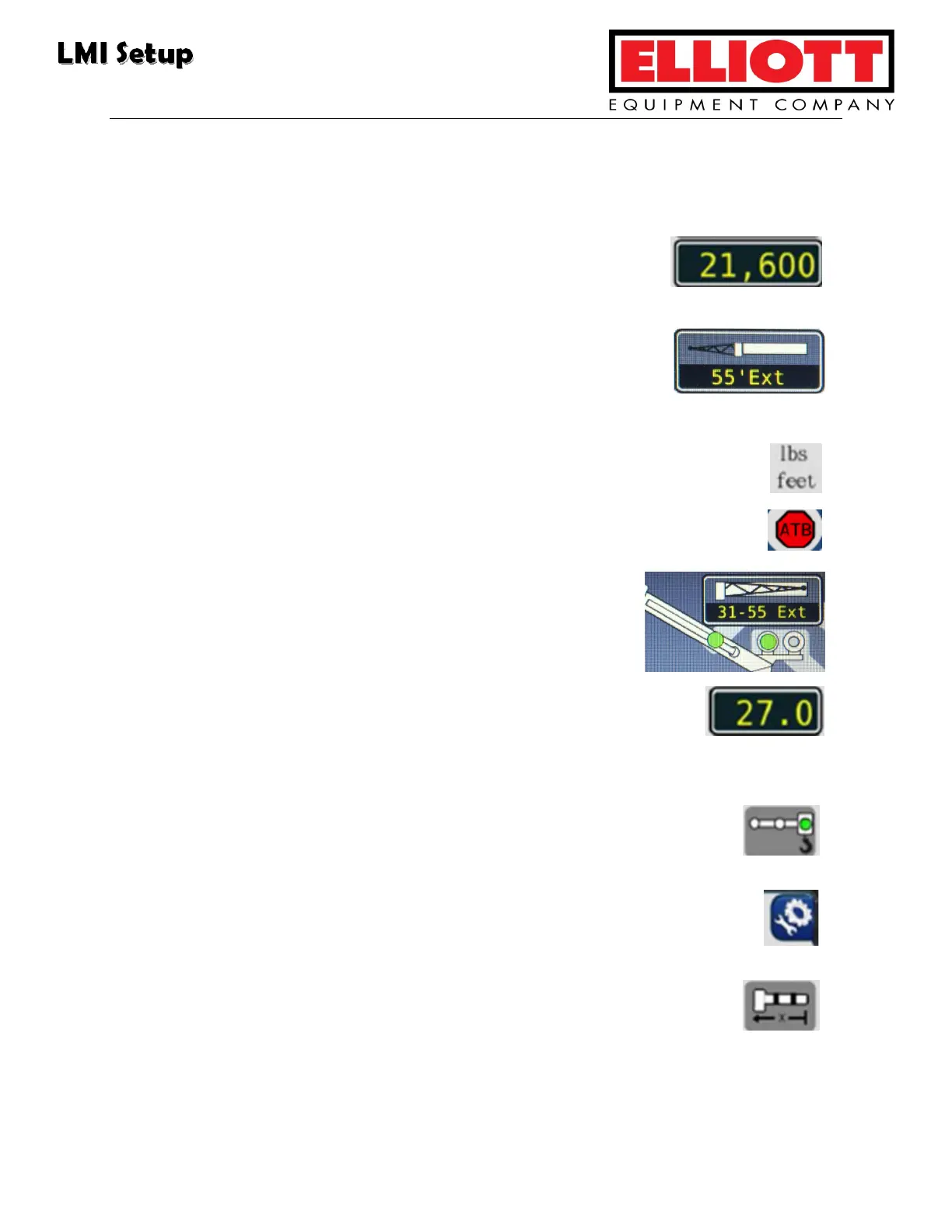
6. Rated Capacity: This displays the crane’s maximum-rated
capacity in its curent position.
7. Erected Jib: This display shows the jib options selected for
the crane, or if no jib options are available or are in use, the
display will show “None.”
8. System: This shows either Metric or Imperial units.
9. Anti-Two-Block: This indicator illuminates when the ATB Limit switch
detects approach to a two-block condition.
10. Jib Stowed: This display shows the stowed jib from
the Crane Configuration screen.
11. Boom Length: This display shows the main boom’s length
from the pivot pin to the sheave pin at the boom head.
Measurements are displayed in either Metric or Imperial units.
12. Pick Long, Pick Short, Pick Main: This feature is not used on all
models.
13. Configuration Button: This returns the operator to the Crane
Configuration screen.
14. Boom Length Symbol: This is displayed to the right of the boom
length display.



 To Next Page