31
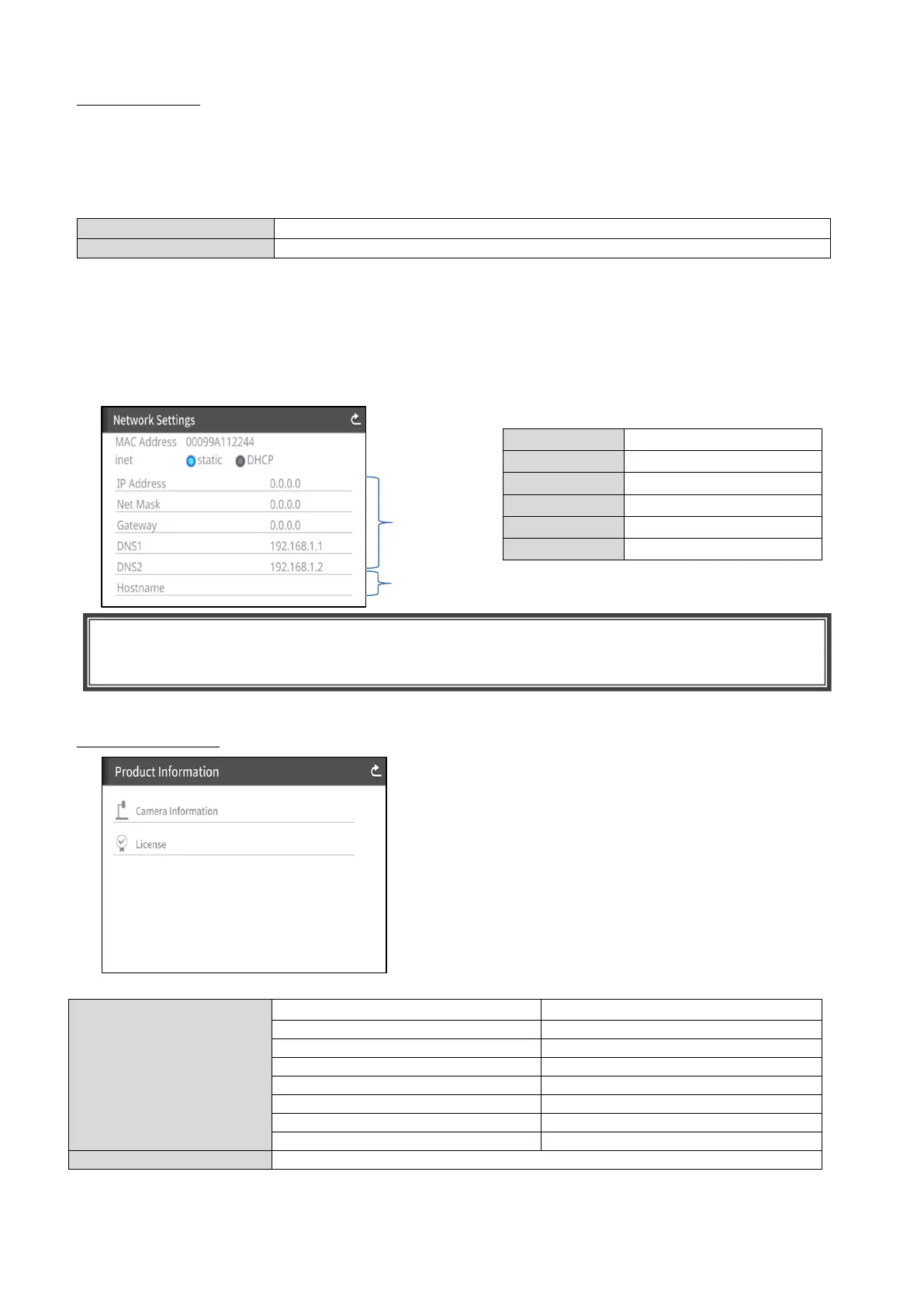
Network Settings (for PX-30E only)
To display the network configuration area as well as the network information assigned to a connected
device. Connect the LAN port on the back panel to the network with the LAN cable.(⇒P.14)
By connecting to the network, the following actions are possible.
・To operate the PX-30E with commands. (You can control the PX-30E from your PC.)
When selecting “DHCP”, a unique IP address is assigned to the PX-30E automatically.
If you n eed to configure the IP address manually, select “static”.
When performing the operation with commands, connect your PC to the PX-30E with the LAN cable
after installing a serial communication software on your PC.
Tap the item to display the on-screen keyboard with numeric keypad. Then enter the necessary
information manually.
Product Information
MAC address set in the PX-30E
To select between static and DHCP.
Product name (e.g. PX-30E)
Serial number of the PX-10E/30E
Version of the PX-10E/30E
HDBaseT (for PX-30E only)
Production date of the PX-10E/30E
The license information used for the PX-10E/30E is displayed.
CAUTION
For details about the commands, contact our branch/office near your location.



 To Next Page