38
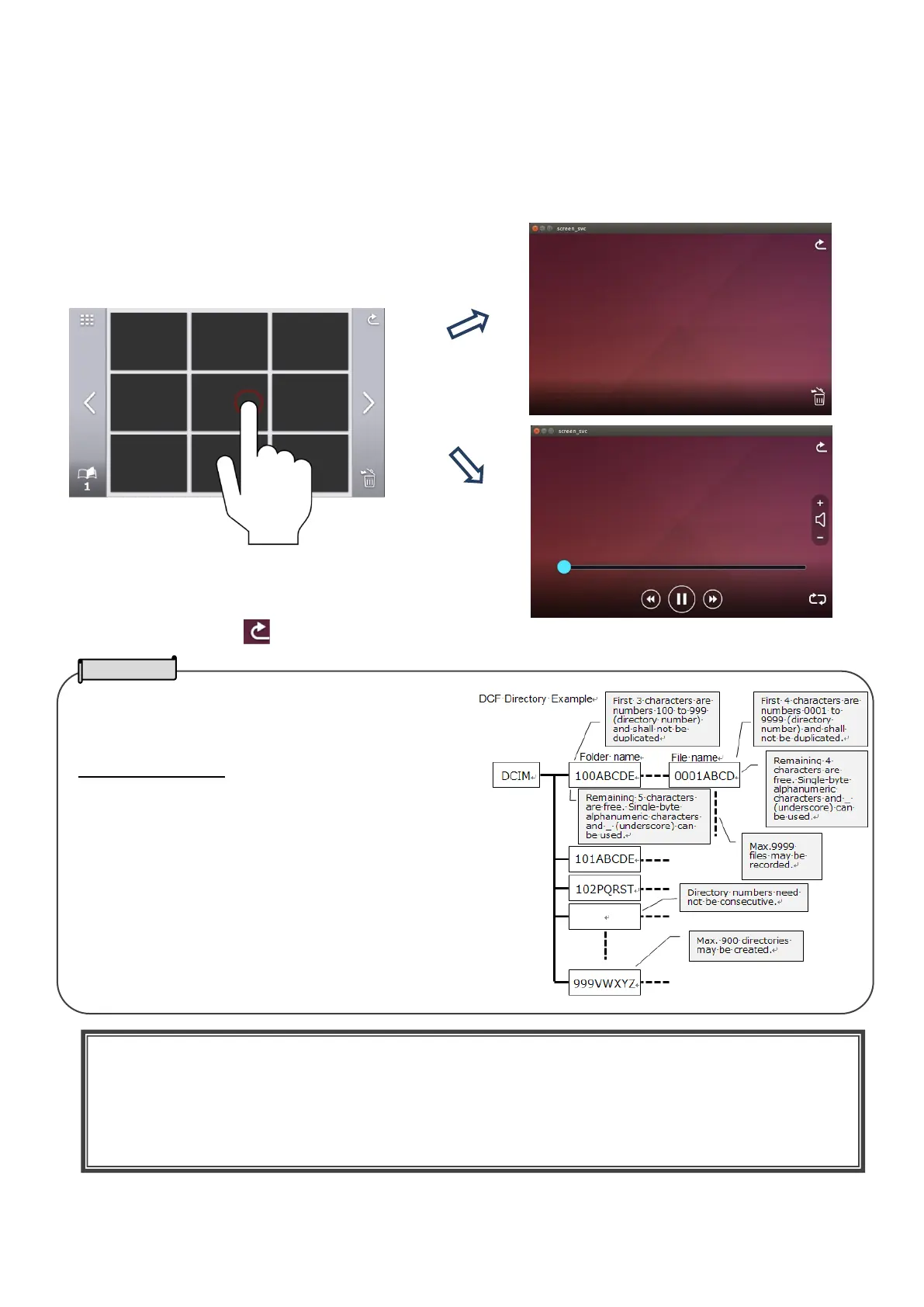
②Select a still image or video that you want to display full-screen.
(1)Tap the thumbnail on the touchscreen to move the cursor.
(2)Tap the selected thumbnail again to display the selected still image or video full-screen. (The video
automatically starts to play.)
SD still image / SD video / USB still image (list of thumbnails)
③Tap the Return icon [ ] to return to the thumbnail display.
⇒
Still images taken by third-party devices can be played
by the PX-10E/30E using the SD card or USB flash drive.
Supported file format
JPEG (DCF2.0 compliant)
Maximum width of the image: 4,000 pixels
Maximum height of the image: 3,000 pixels
Video files taken by third-party devices cannot be played
by the PX-10E/30E using the SD card or USB flash drive.・
CAUTION
For files that cannot be displayed, an exclamation mark [!] will be displayed on the thumbnail list.
Still images taken by smart devices may not be compliant with DCF standard and will not be displayed on
the thumbnail list. Change the file name and folder configuration according to DCF standard to display files
on the thumbnail list.



 To Next Page