www.elstat.io
32
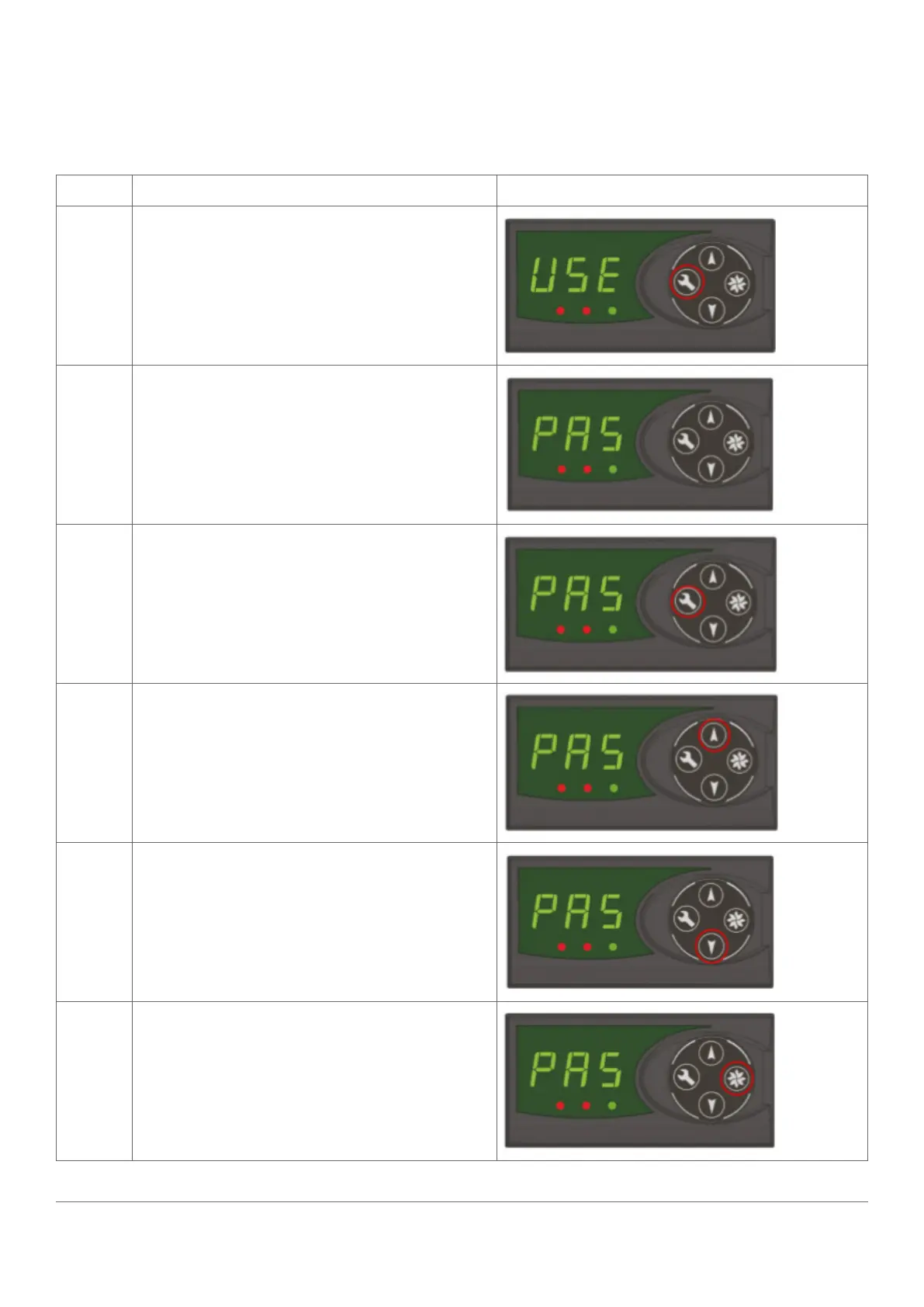
7.3 How to access the menu (example)
The password is a unique sequence of button operations.
The password is supplied toOEMs, installers, and service engineers separately.
STEP IMAGE
1
Press and hold the set button
2
Release the set button when PAS appears
3
Press the set button four times (x4)
4
Press the up button once (x1)
5
Press the down button twice (x2)
6
Press the defros / teach button teice (x2)



 To Next Page