41
www.elstat.io
7.9 How to view the last three alarms (Flt)
It is possible to view the last alarms and understand problems that have occurred with the ems controller.
View the last three alarm conditions as follows:
STEP IMAGE
1
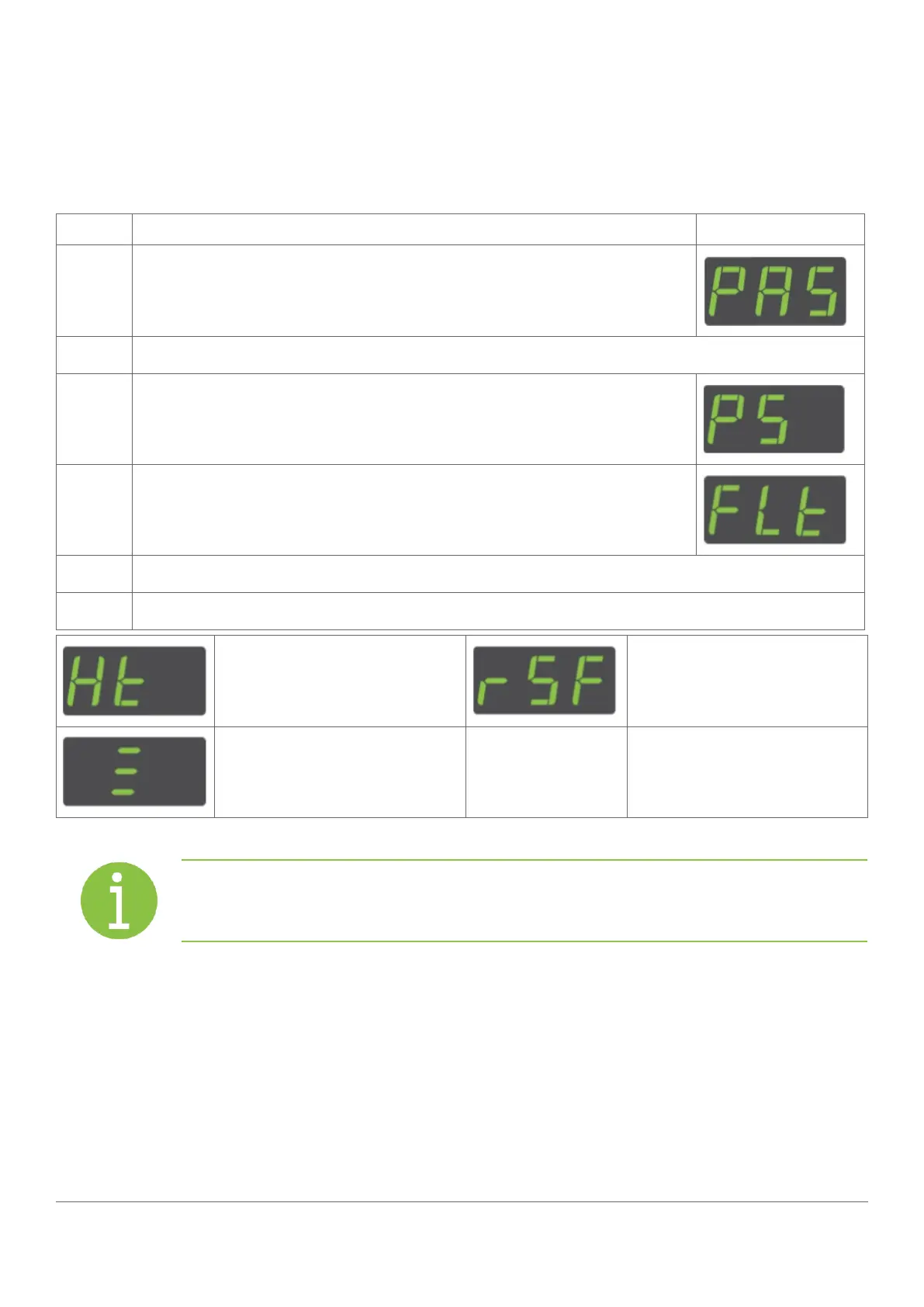
Press and hold the set button until PAS is displayed
2
Enter the button sequence of the password.
3
Ensure that PS is displayed.
4
Press the down button to scroll ro the Flt
5
Press the set button
6
The last three faults, or alarms, to occur are displayed. For example:
a condenser hight emperature
alarm has occurred
a refrigeration system failure
alarm has occurred
a door open alarm has occurred
Note
The alarms may have been cleared, or cancelled, by the retail outlet operators.



 To Next Page