www.elstat.io
54
9.4 How to install the drivers on Windows XP
For Windows XP, install the drivers as follows:
1. Extract the ZIP file CDM20808.zip- from the files supplied by elstat which contain the Windows drivers for
Windows XP - and save into a suitable location. For example, C:\Program Files\elstat\drivers
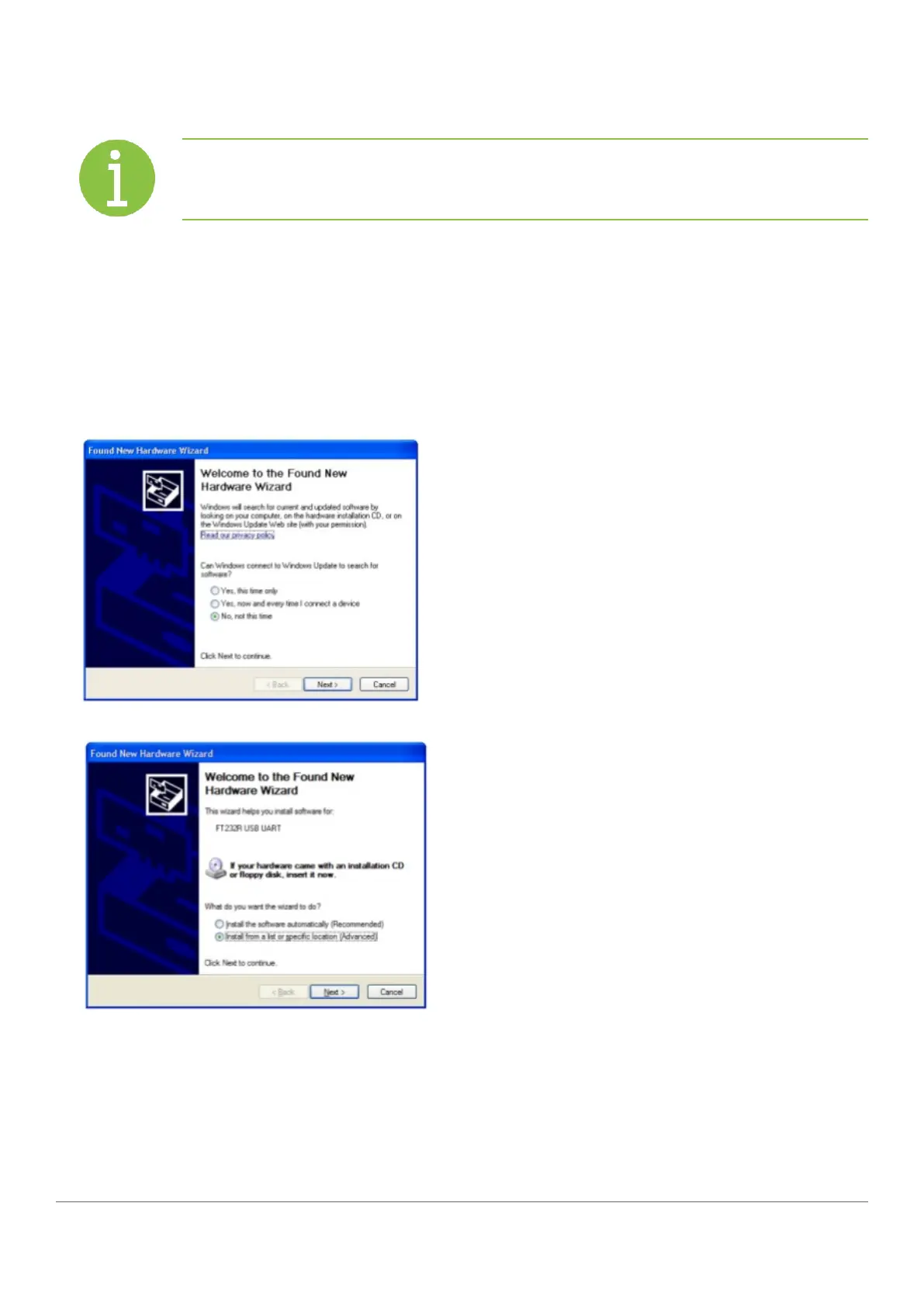
2. Insert the USB docking cradle into a spare USB port and ensure that the Windows New Hardware Found wizard
starts automatically
3. Select No, not this time as shown below
4. Select Install from a list or specific location (Advanced) and then click Next.
Note
Windows 7 and Windows Vista: Drivers install automatically by connecting the USBdocking
cradle.



 To Next Page