www.elstat.io
36
7.6 How to view the ems25advanced parameter settings(PS)
View the parameter settings tocheck the values of the parameters as follows:
STEP IMAGE
1
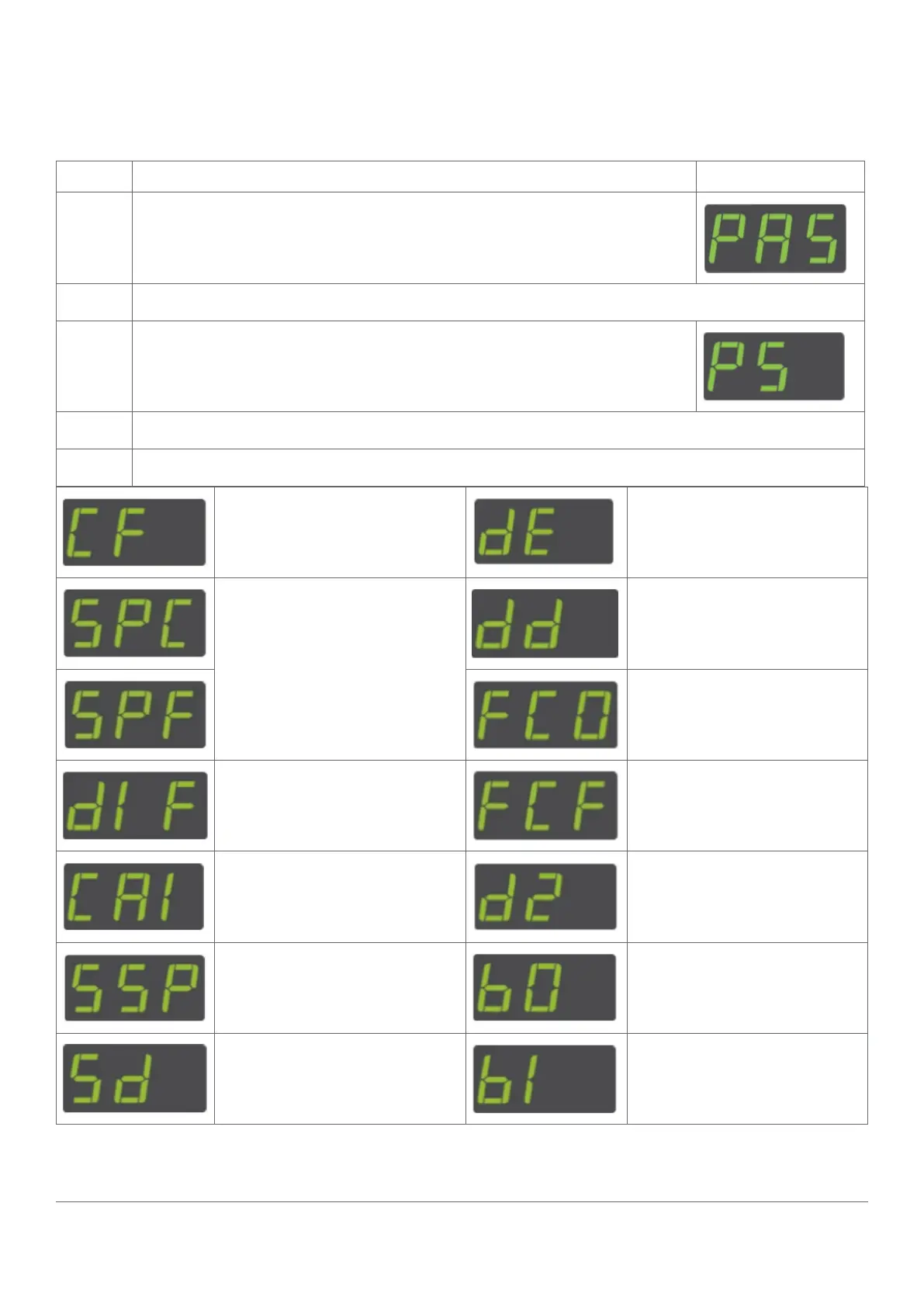
Press and hold the set button until PAS is displayed
2
Enter the button sequence of the password.
3
Ensure that PS is displayed.
4
Press and hold the set button to view the parameter name and value alternatively.
5
Keep the set button pressed to scroll through the parameter settings.
See “Celsius or Fahrenheit (CF)” See “Defrost Interval (de)”
See “Set Point (SPS or SPF)”
See “Defrost Duration (DD)”
See “Defrost Duration (DD)”
See “Differential (dIF)” See “Defrost Duration (DD)”
See “Calibration 1 (CA1)” See “Display Stability (d2)”
See “Saving Set Point (SSP)” See “Buzzer Enable (b0)”
See “Saving Differential (Sd)” See “Buzzer Duration (b1)”



 To Next Page