33
www.elstat.io
7.4 How to access the menu
Access the ems controller menuas follows:
1. Press and hold the set button until PAS is displayed
2. Enter the button sequence of the password
3. Ensure that PS is displayed
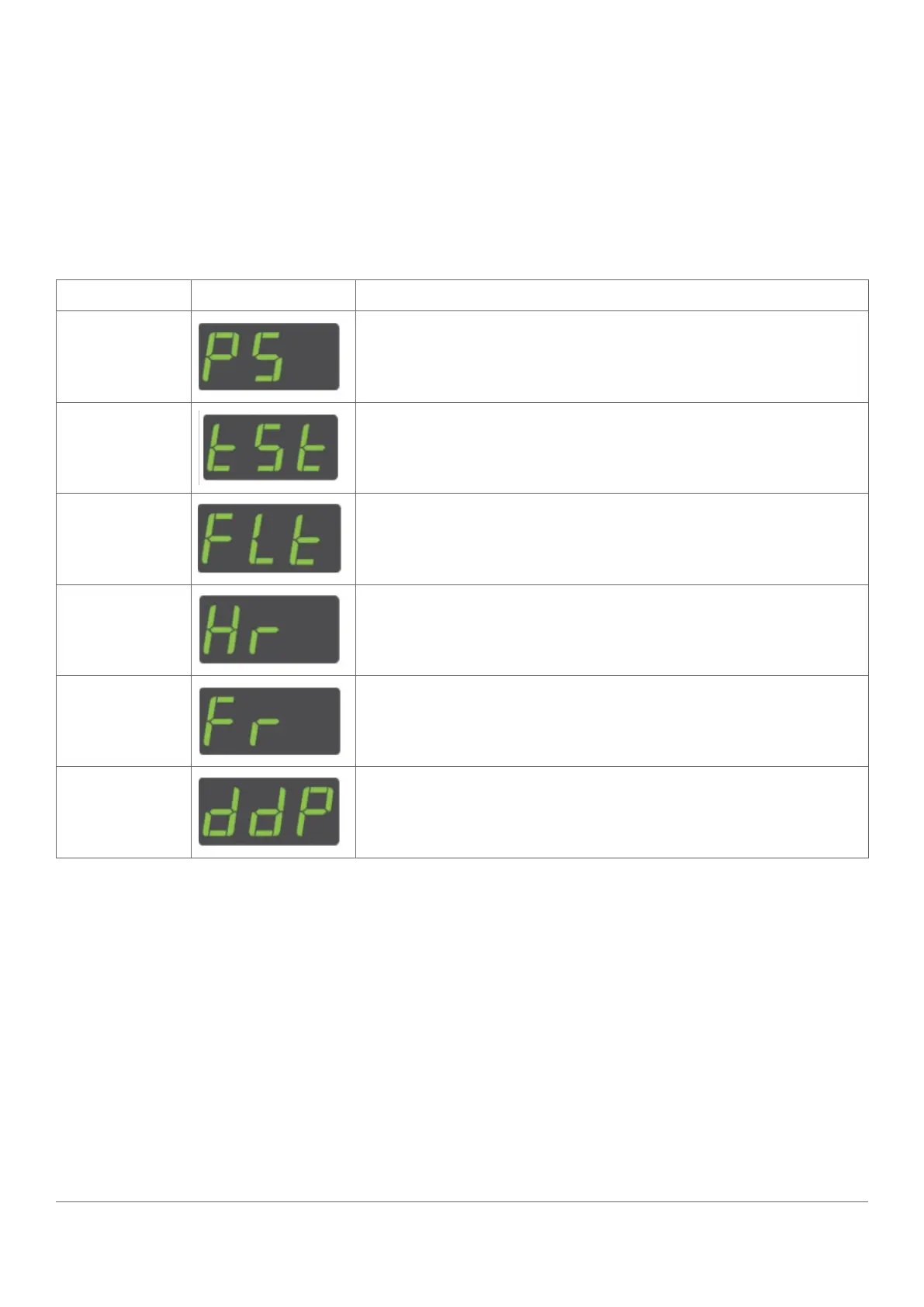
The table below describes the ems controller menus. Use the down button to scroll through the menu.
MENU DISPLAY DESCRIPTION
Parameter List Displays the parameters andthe parameter values.
Test Routine
Enters the testroutine thattests the relays, temperature sensors, door
switch, and motionsensor.
Faults
Displays the last three faults (alarms).
See “how to view the last three alarms (FLt)”
Half Reset
Clears the self-learning matrix.
See “how to perform a half reset (Hr)”
Full reset elstat use only.
Data Dump elstat use only.



 To Next Page