60 Operation
6.3.1 Display
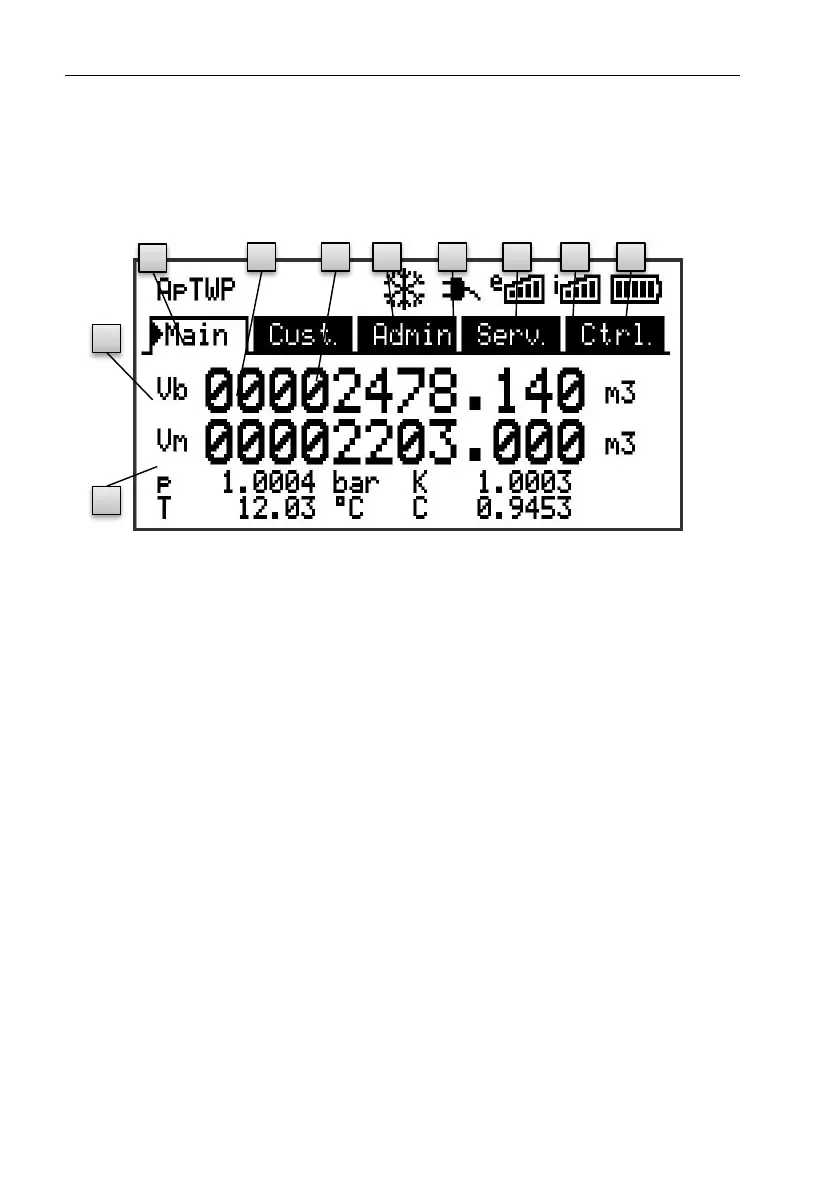
The display is divided into the five registers "Main", "Cust.", "Admin",
"Serv." and "Ctrl." under which measurements, settings and other data are
displayed.
2 Frozen display
3 External power supply
4 Reception strength of the ex-
ternal modem
5 Reception strength of the in-
ternal modem
7 Active register
8 Inactive register
9 Cursor
10 Data field
The display in the data field in Fig. 24/10 (starting here with "Vb") is differ-
ent in each of the registers. All other display sections (in the top part of the
screen) remain the same, regardless of the register displayed.



 To Next Page