Operation 65
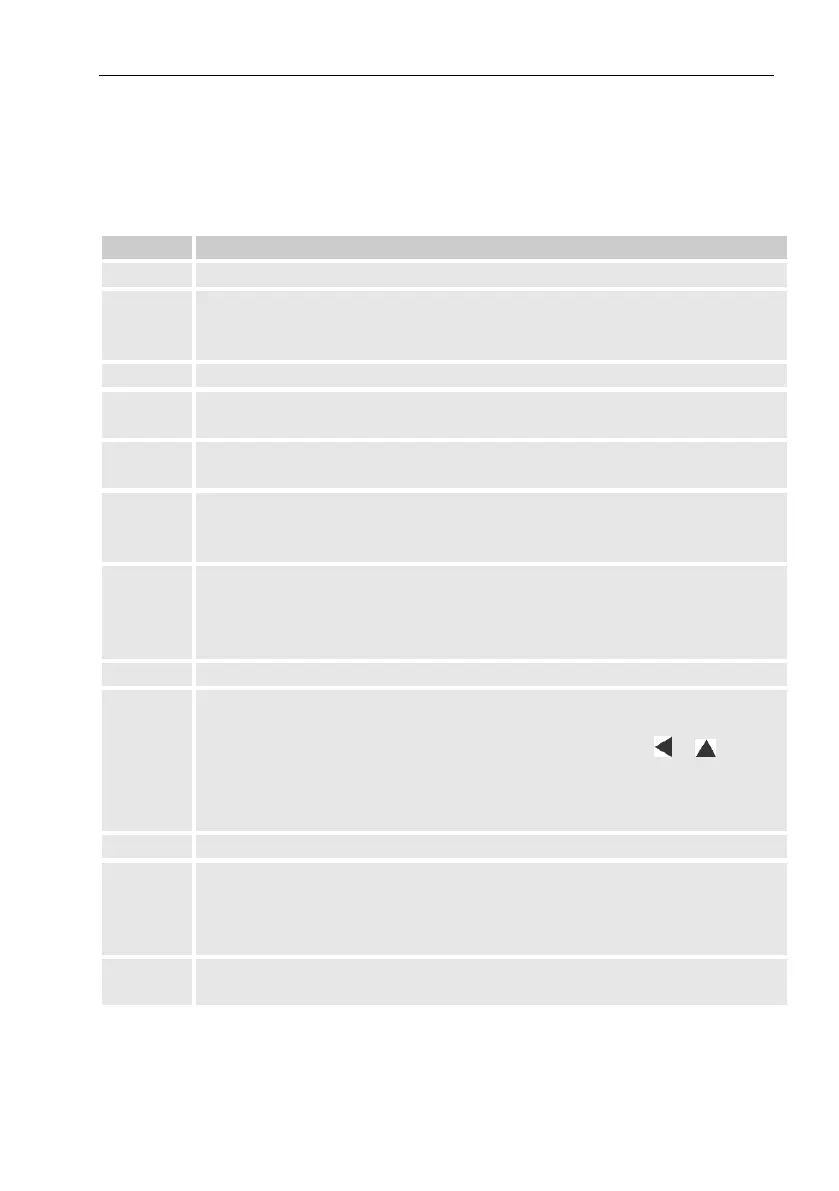
6.3.5 Error messages when entering values
If a value has been entered incorrectly via the keyboard, input error mes-
sages will be displayed.
This is shown as follows: --x-- with x = error code according to the
following table
The archive is empty. No values have been entered.
The archive value cannot be read.
The archive may already have been opened by the interface for
readings.
This parameter cannot be changed (constant).
You are not authorized to change this value.
To change this value, a corresponding lock must be opened.
Invalid value
The value entered is outside the permissible limits.
Incorrect code
The code entered (numerical code) is incorrect; the lock will not
be opened.
Input not possible due to special settings or configuration, e.g.
- The input of Vm and VmD is not possible in encoder mode.
- The calorific value can only be changed in the gas analysis list;
not in the energy list.
The input of this source (address) is not permitted.
Entry based on specific setting or configuration not possible, e.g.:
- This function „Clr.X“ can only be performed once the time has
been set to its start value with the key combination + .
- The function „Store“ can only be performed once the change in-
formation for comparison of „Vm“ (see chapter 5.3.1.14) or „Vb“
(see chapter 5.3.1.9) has been deleted.
Gas analysis parameters do not correspond.
Value has not been defined for the user-specific display.
The displayed value can be defined by the user by entering the
address. As this address has not yet been entered, no value will
be displayed.
The value can only be changed when the calibration lock is open
as the PTB log is full.



 To Next Page