38 Assembly, Connection and Putting into Operation
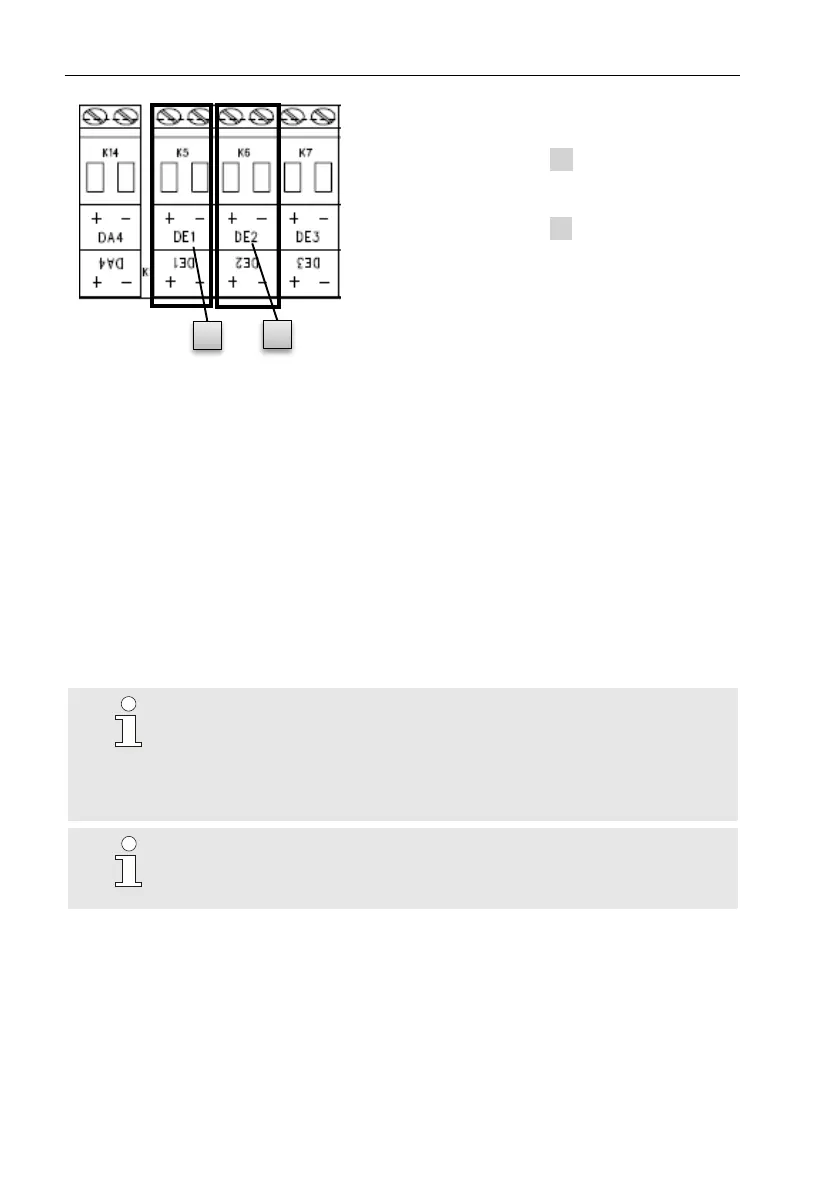
1. Connect the low frequency pulse
transducer of the gas meter to the
"DE1" terminal ( 1 ) of the EK280.
2. Connect the high frequency pulse
transducer of the gas meter to the
"DE2" terminal ( 2 ) of the EK280.
Adjust the measurement parameters, e.g. the cp value (pulse constant), as
described in chapter 0.
5.2.2 Sealing the input terminals
After connecting to the gas meter as per chapter 5.2.1, the input terminal
"DE1" must be sealed for official calibration measurements.
For this purpose, terminal covers are provided in the bag of accessories. If
required, these should be screwed over the connected terminals and an
adhesive seal should then be bonded to the fastening screw (see chapter
5.3.2).
5.2.3 Connecting the temperature sensor
Any national requirements must be observed when con-
necting the termperature sensor.
The requirements of the PTB Testing Instructions, Volume
20, Electronic volume conversion device for gas, Chapter 5,
shall apply to Germany.
Before connecting, the temperature sensor should be lubri-
cated with heat transfer fluid in order to enhance its func-
tionality.



 To Next Page