Assembly, Connection and Putting into Operation 39
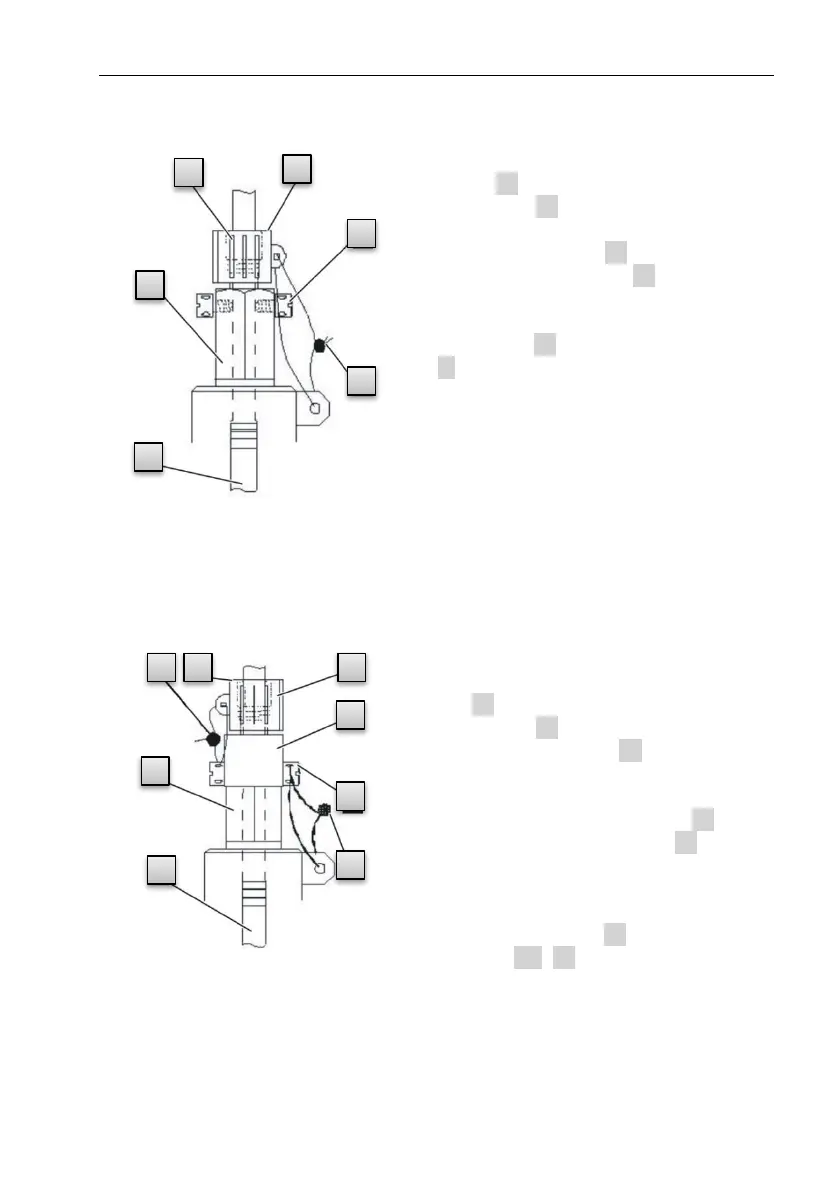
5.2.3.1 Connection to a standard temperature sensor pocket
1. Insert the temperature sensor
Pt500 4 into the temperature sen-
sor pocket 5 (see Appendix).
2. Fasten the temperature sensor using
the capstan screw 2 and screw
connections provided 6 .
3. Have a calibration officer seal the
temperature sensor using the seal-
ing sleeve 1 and the wire seal
3 as per Fig. 12.
5.2.3.2 Connection to an older temperature sensor pocket
1. Insert the temperature sensor
Pt500
5 into the temperature sensor
pocket 6 (see Appendix).
2. Use the adapter 2 to seal the
connection (see Appendix).
3. Fasten the temperature sensor
using the capstan screw 3 and
the screw connections 8 provid-
ed.
4. Have a calibration officer seal the
temperature sensor using the
sealing sleeve 1 and the wire
seal 4 , 7 .



 To Next Page