5 KEYBOARD AND CONNECTOR FUNCTIONS
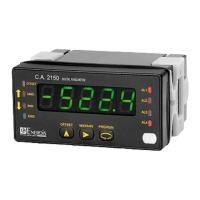
5.1 Keyboard functions
Several functions can be controlled via keyboard that will produce different actions depending on the instrument operating mode:
Mode -RUN-:
MAX/MIN function
Activated after pressing on the
. key. From the normal reading mode, a press shows the maximum value read by the
instrument since the last time it has been switched on, unless a RESET MAX/MIN is done, the MAX led will light up. A second press
shows the minimum value in the same conditions as before, with the consequent minimum indication through the MIN led. A third
press bring the instrument back to the normal reading mode.
Fonction RESET MAX/MIN
Pressing continuously the during 3s, while the instrument shows the peak value (MAX), will produce a reset of the value. Will
reset the minimum value if the same action is done while the instrument shows the valley value (MIN).
ENTER 3s function (PROGRAMMING LOCKOUT)
In mode RUN if the ENTER key is pressed continuously during 3 seconds, the instrument will show the indication CodE, and
following 0000, allowing the user to introduce the security code. If the code that has been introduced is wrong, the instrument will
go back to RUN mode, if it is correct, it will allow the access to the security menu. See paragraph 6 Page 28.
ENTER function
One press on the key will bring the instrument to the -Prog- mode.


 To Next Page