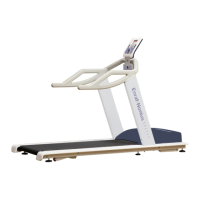
Select the Quick start function using the
central controller and press OK.
The speed and/or angle of inclination must be
entered manually.
Now adjust the speed and inclination using
the + and – buttons.
The band will start to move.
Comment: pressing the + speed button
directly from the main menu will also activate
the Quick start feature. This is by far the
quickest way to start your training session.
If you would also like the calories burned to
be calculated (automatically) with the Quick
start feature, you must specify this in the
System settings menu (see section 10.7.2.e).
The body weight of the runner/patient will be
used to calculate the energy consumption
during the training session.
If this function has been activated, the data
screen displayed on the left will first appear
before the training session can start.
Enter the weight of the runner/patient using
the central rotary knob and press OK.
As soon as the band starts to move, the
screen will change to Data View mode.
With Quick start, the values for time and
distance will increase during the training
session.
A heart-rate belt may be used to display the
user’s current heart rate.


 To Next Page
 Loading...