58 Using the Printer Driver For Windows
Creating an overlay
You can create form data and save it as a file.
1. Open the application that you will use to create the overlay.
2. From the application, access the printer driver. Open the File
menu and choose Print or Print Setup. Then click Printer,
Setup, Options, or Properties, or click a combination of these
buttons, depending on the application you use.
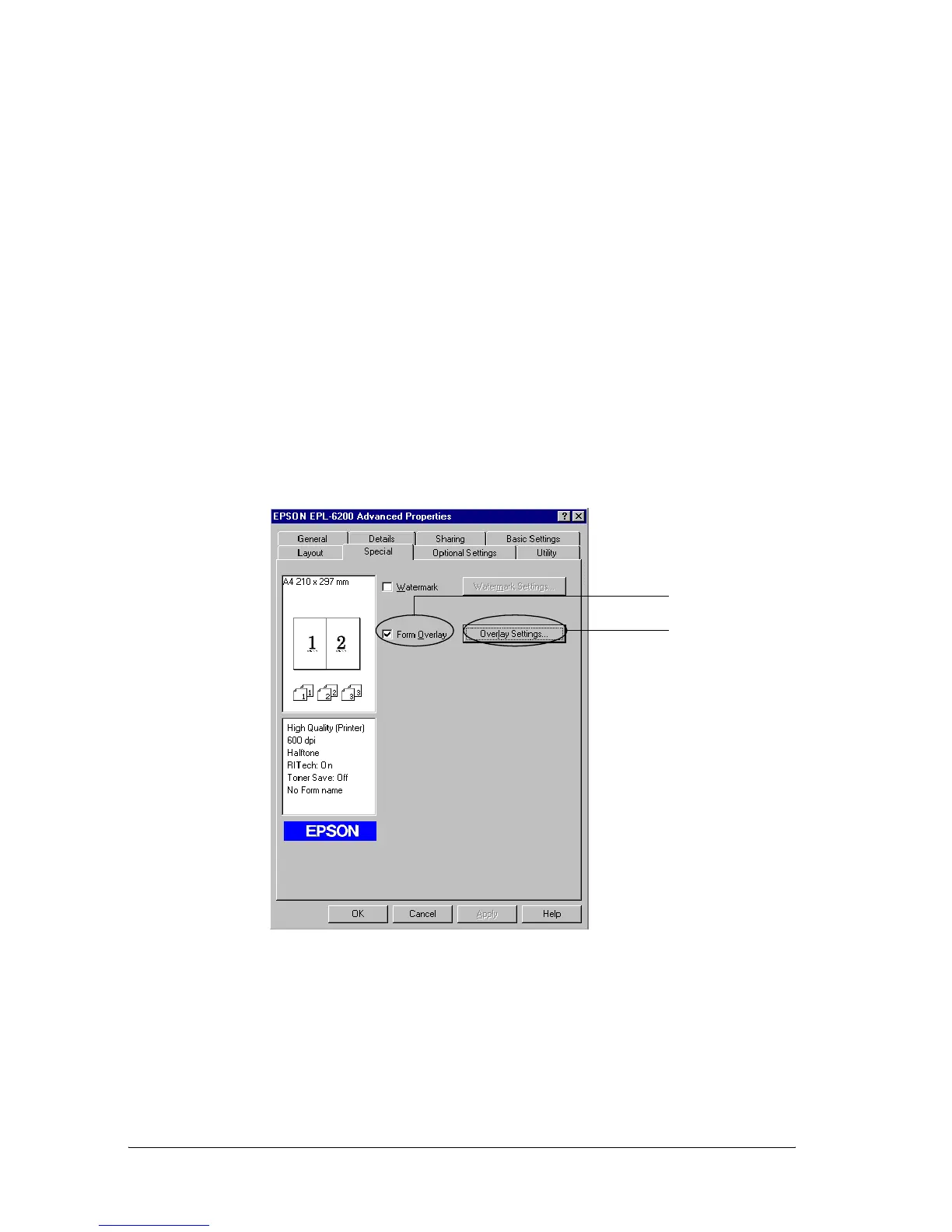
3. Select the Special tab.
4. Select the Form Overlay check box, and click Overlay
Settings to open the Overlay Settings dialog box.
1
2



 To Next Page