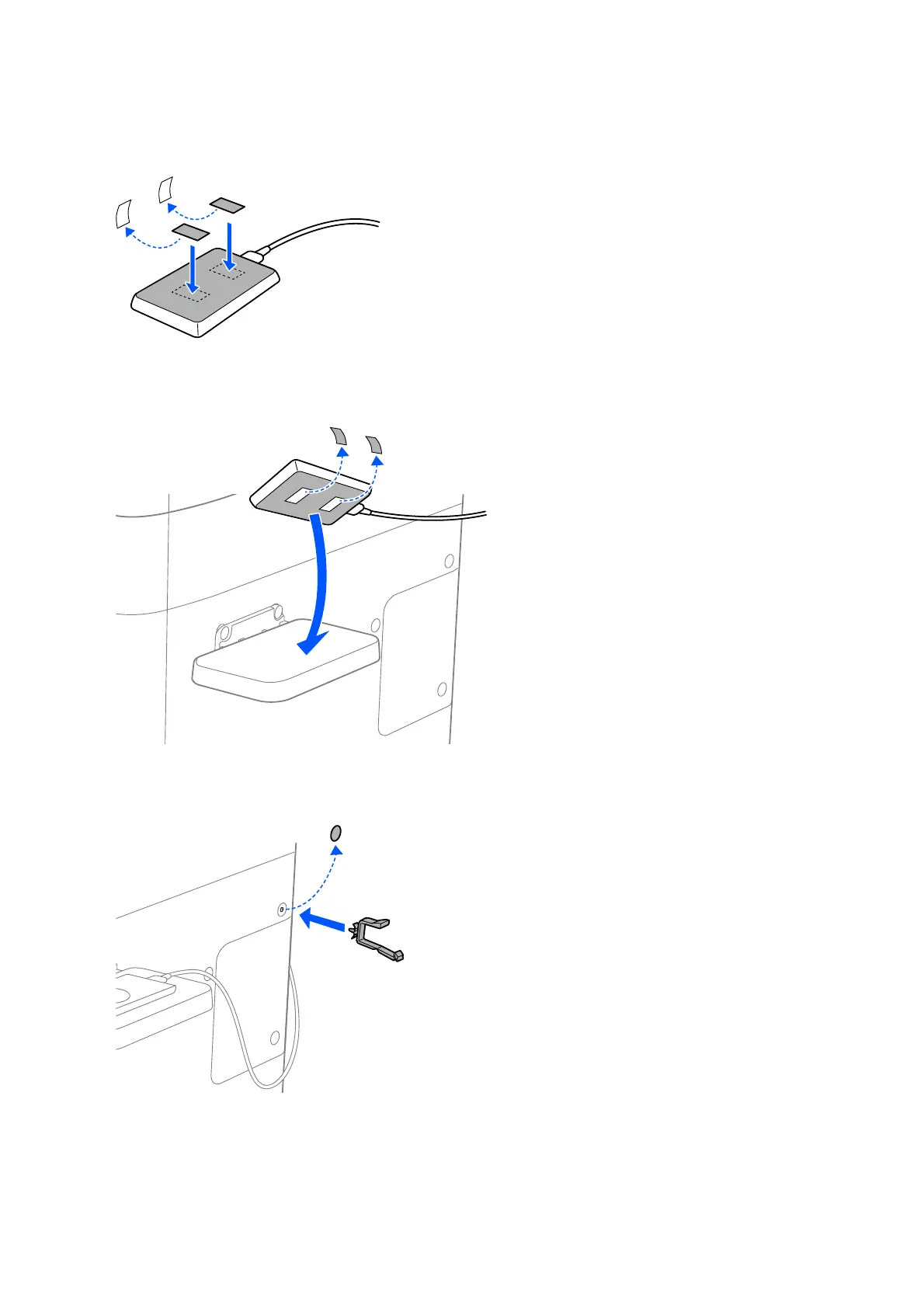
3. Stick double-sided tape to the back of the authentication device.
4. Peel
o
the seals on the double-sided tape, and then secure the authentication device to the authentication
device table.
5. If the clamp has not been installed in the printer, peel o the seal from the printer, and then insert the clamp.
Setup & Administration Guide
Authentication Device Connection
22



 To Next Page
 Loading...












