Making the LDAP Server Setting (Web Cong)
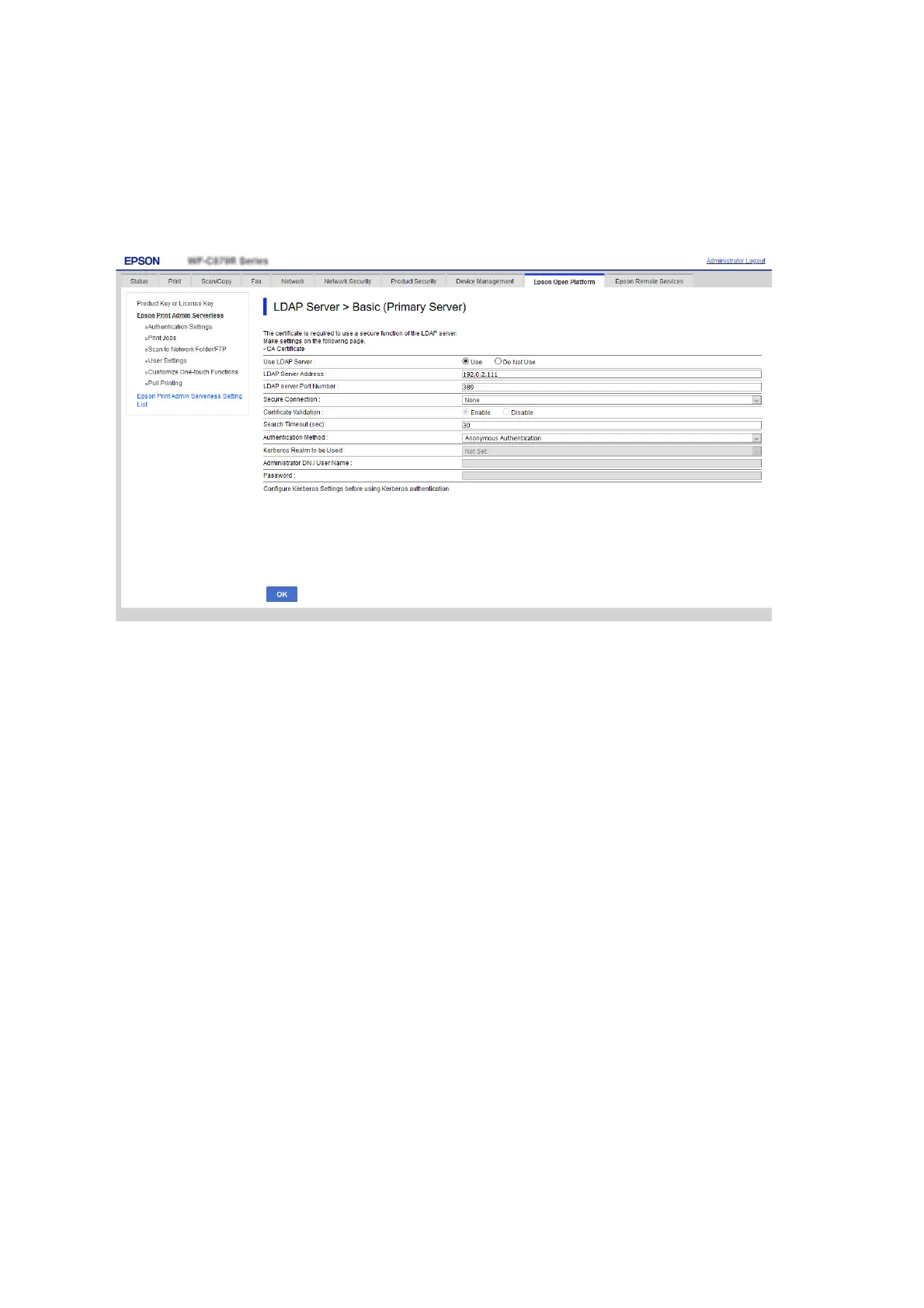
1. Select the Epson Print Admin Serverless Setting List > LDAP Server > Basic (Primary Server).
Or access Network tab > LDAP Server > Basic (Primary Server).
2. Set each item.
See the related information for details of each item.
3. Click OK.
4. When you select Kerberos Authentication for Authentication Method, make Kerberos settings from
Network tab > Kerberos Settings, and then click OK.
You can register up to 10 Kerberos settings. If you do not select it, go to the next step.
5. Set the secondary server for LDAP server as necessary on Basic (Secondary Server), and then click OK.
e
setting items are same as the primary server settings.
6. Click OK.
Related Information
& “LDAP Server Setting Items” on page 68
& “Kerberos Setting Items” on page 70
Checking the LDAP Server Connection
Performs the connection test to the LDAP server by using the parameter set on LDAP Server > Search Settings.
1.
Select the Epson Print Admin Serverless Setting List > LDAP Server > Connection Test (Primary Server).
Or access Network tab > LDAP Server > Connection Test (Primary Server).
Setup & Administration Guide
Information Registration and System Conguration
45



 To Next Page
 Loading...












