33 / 66
4 • Working with ERBEJET 2
80110-801_V23493
2022-03
In the preceding stages of the tutorial you made changes to the settings of the basic
program. The modified basic program is marked with a * in the display.
The settings will be lost if they are not saved. You cannot overwrite the basic program
with your settings. The basic program cannot be changed. However, you can save
changed settings of the basic program as a new program.
All settings will then be stored as a complete setting in the memory.
1. Press the selection button next to the menu item Program / Setup.
2. Press the selection button next to the menu item SAVE / ERASE program.
3. Press the selection button next to the menu item SAVE.
4. Press the selection button next to the menu item SAVE settings as new program.
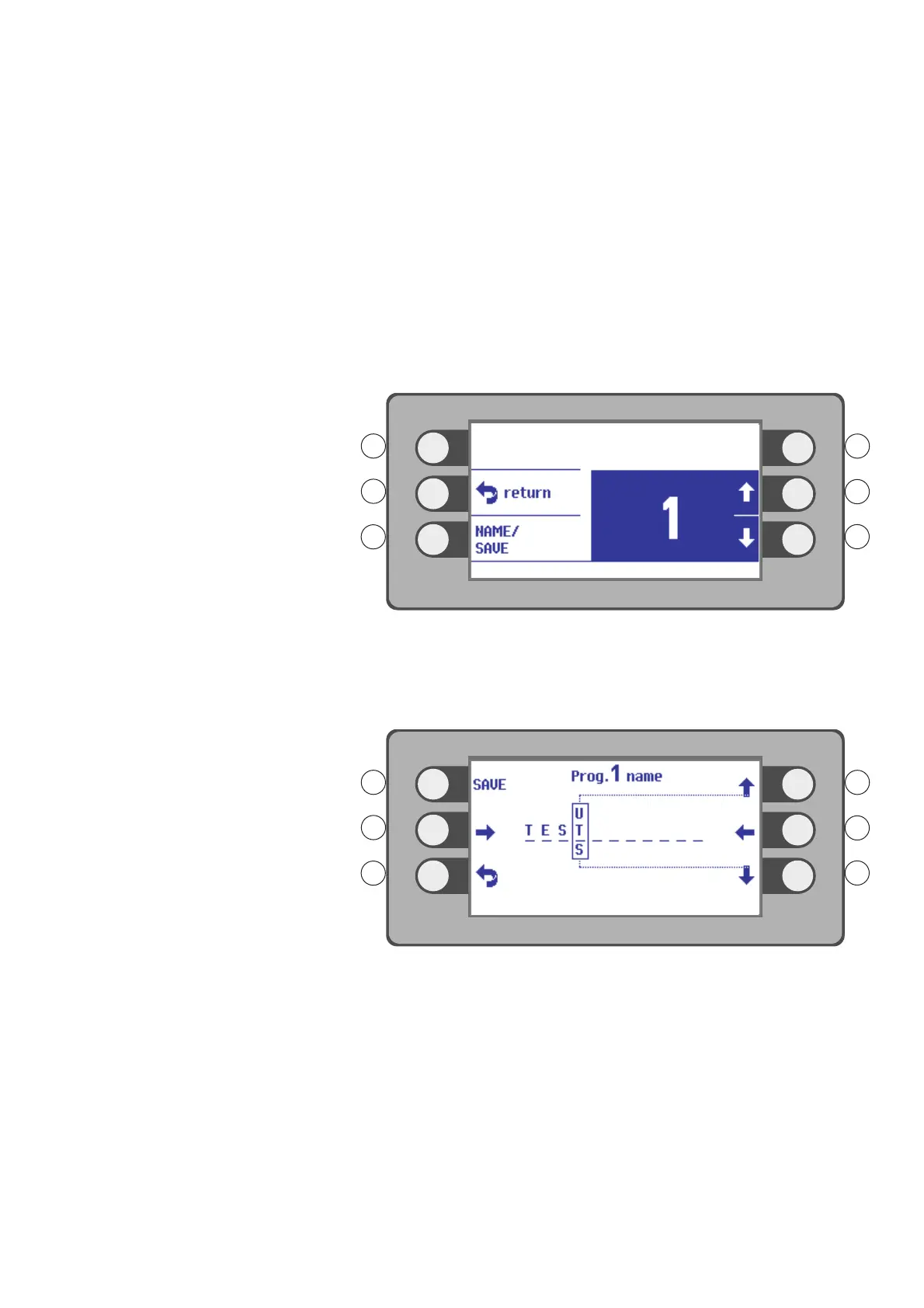
Fig. 4-25
5. Select a number (a memory location) for the program with the selection buttons
R2, R3. Example: 1
6. Press the selection button next to the menu item NAME / SAVE.
Fig. 4-26
7. Select a letter or a number with the selection buttons R1, R3.
8. Move the character one place to the right with the selection button L2.
9. Select the next character. Example: TEST.
10. Press the selection button next to the SAVE menu item until the message PRO-
GRAM SAVED appears.
11. Press the selection button next to the Return symbol.
Selecting a program
1. Press the selection button next to the menu item Program / Setup.
2. Press the selection button next to the menu item SELECT program.



 To Next Page