4 • Working with ERBEJET 2
34 / 66
80110-801_V23493
2022-03
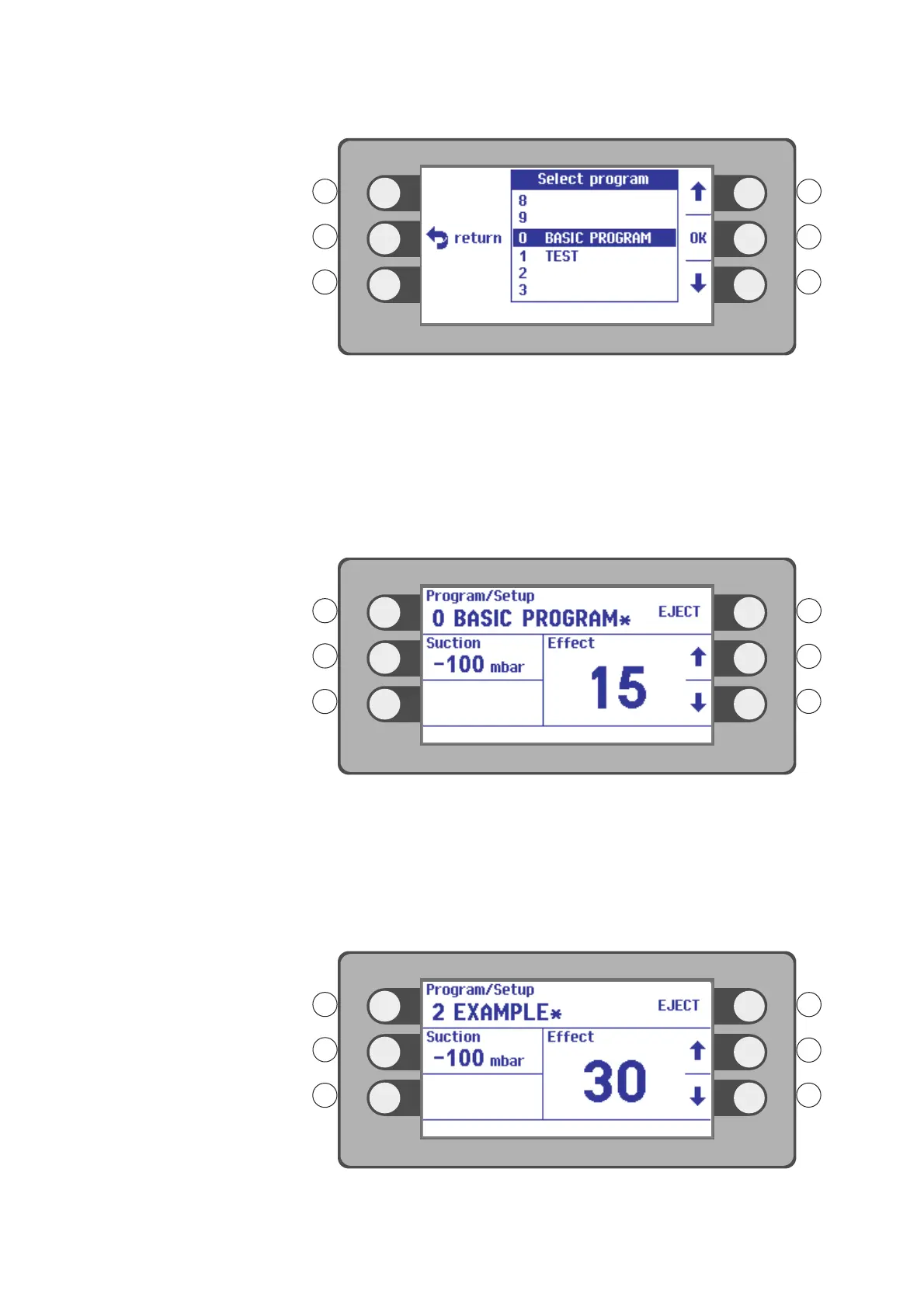
Fig. 4-27
3. Select a program with the selection buttons R1, R3. Example: BASIC PROGRAM.
4. Confirm your selection. Press the selection button next to the menu item OK.
Saving programs for the ReMode
function
With the footswitch ReMode switch you can change between two program levels a and
b of a program. You have to save a program with two program levels a and b for this
purpose.
Creating and saving program a
Fig. 4-28
1. Create a program by changing the settings of the BASIC PROGRAM.
2. Save the modified basic program at memory location 2 with the name EXAMPLE.
You can also take any other name and any other memory location.
The identifier a is automatically assigned to the program after program b is created.
Creating and saving program b
Fig. 4-29



 To Next Page