Bench Top User’s Manual
Names and Functions of Parts
4.1.2 Left Side
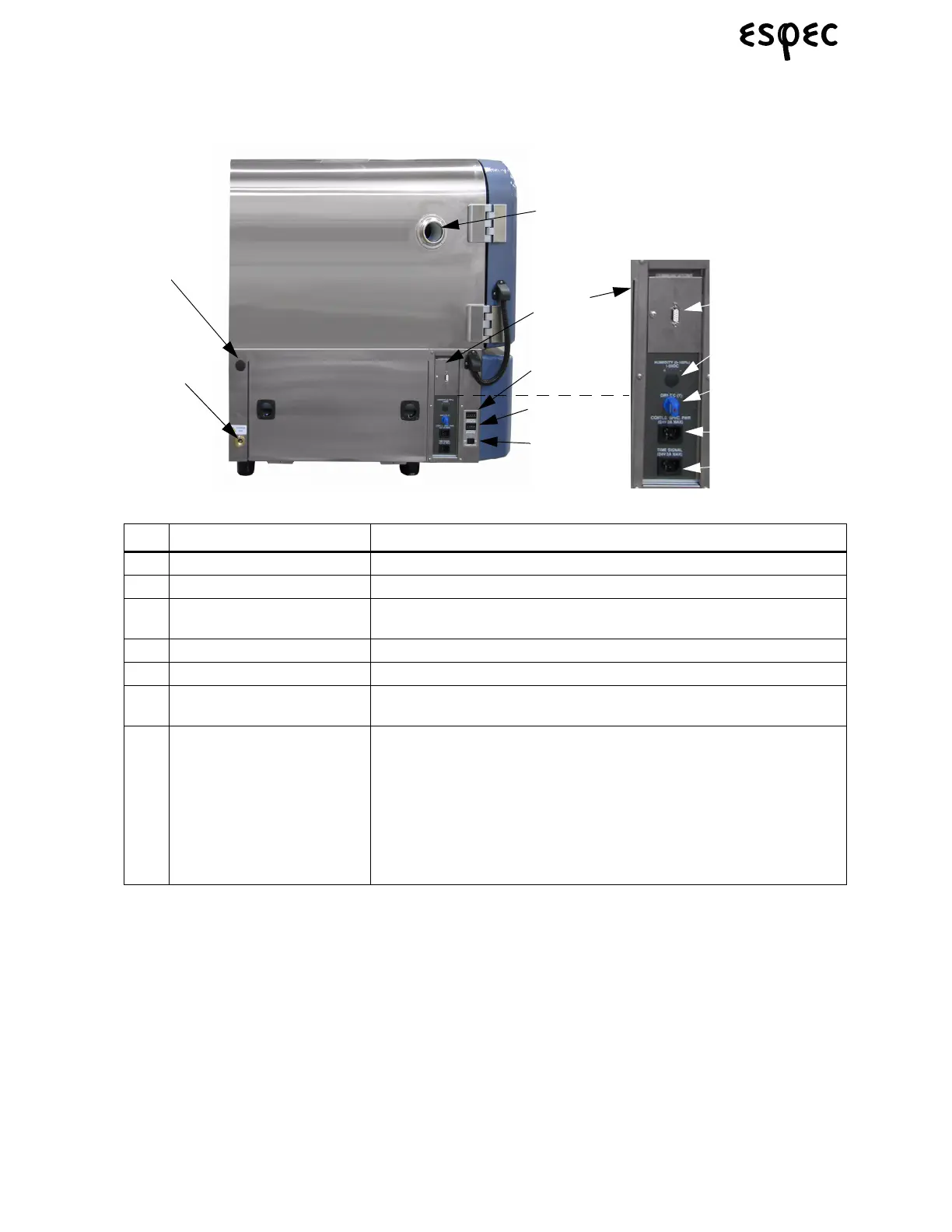
FIGURE 4.2.LEFT SIDE WITH OPTION PANEL
TABLE 4.2. CHAMBER LEFT SIDE PARTS
Name Function/Use
(1) Cable Port Feed Cables (i.e. to charge specimens) into the test area through here.
(2) Water Supply Port For humidity water. BTL and BTX models only.
(3) Chamber Drain Drain for condensate water from workspace and humidifier water on BTL
and BTX models only.
(4) Overheat Protector Stops chamber operation before the temperature can damage specimens.
(5) Overcool Protector (optional) Stops chamber operation before the temperature can damage specimens.
(6) Chamber Light Switch
(optional)
Controls interior chamber lamp.
(7) Option Panel with:
• RS-232 Communications
• Humidity
•T/C
•Time Signal
• Specimen Power
Connect a PC here to control/monitor the chamber.
For Recorder Option. BTL and BTX models only.
For Recorder Option.
Contact-type output terminal. Outputs signal via a relay to remote devices
during tests.
For supply power to specimens. If trouble occurs with the chamber, the
contact opens and shuts OFF power supply to specimens.
Humidity
T/C
Water Supply
Port (2)
Chamber
Drain (3)
RS-232
Specimen
Power
Overcool
Protector (5)
Chamber Light
Switch (6)
Overheat
Protector (4)
Cable Port (1)
Option
Panel (7)
Time Signal



 To Next Page