Bench Top User’s Manual
Installation
5.4 Humidity Water Supply (BTL and BTX models only)
For proper chamber operation, water level in the humidity tray must be checked.
5.4.1 Removal of the Water Level Regulator Protection Material
The wick pan water level regulator is contained inside the machine section, located on the rear of the
chamber.
Procedure
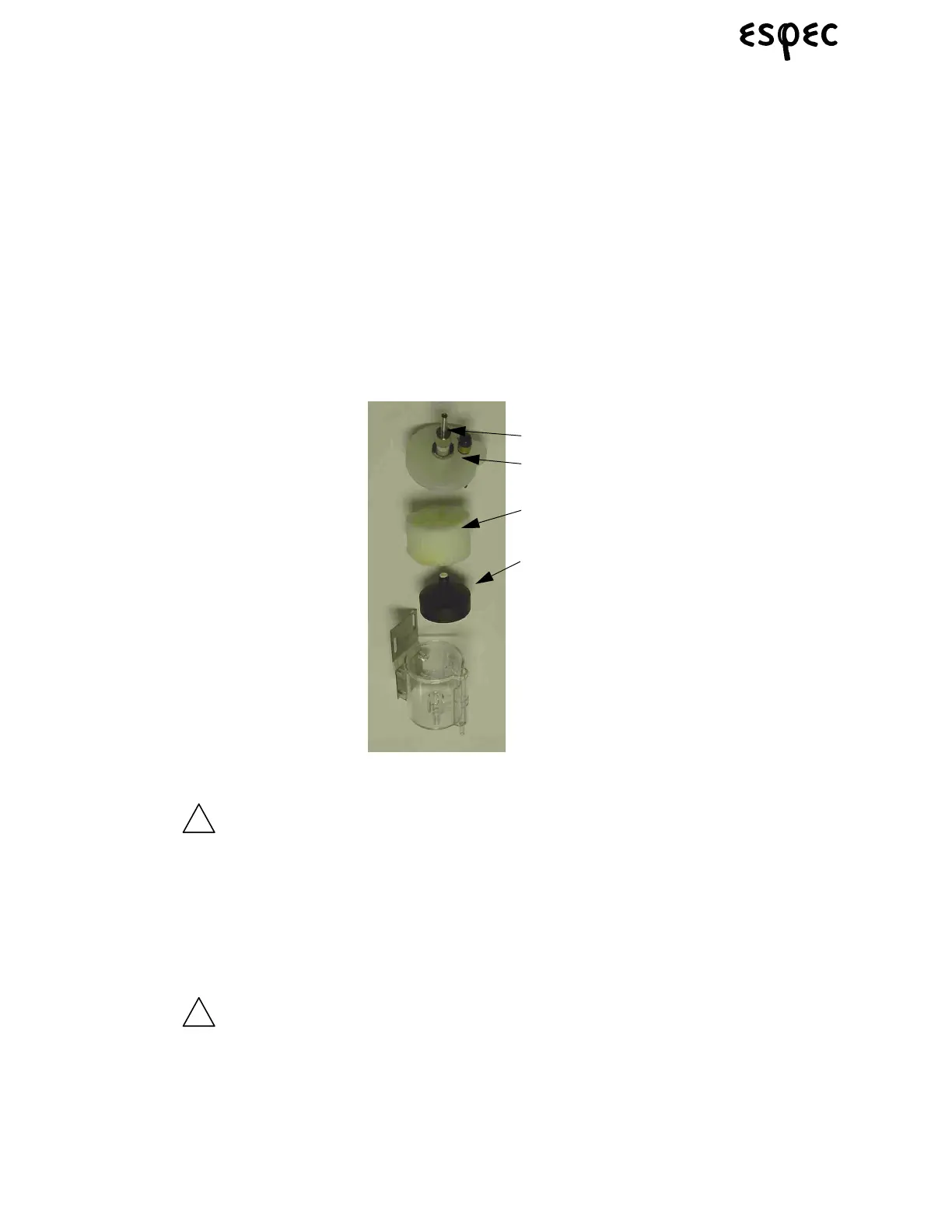
1. Open the lid of the water level regulator.
2. Take out the stopper sponge (protection material) found inside.
3. Confirm that the float is in the upright position.
4. Return and close the lid to its original state.
FIGURE 5.2.WATER LEVEL REGULATOR
The valve seat lock nut, fitted on the lid of the wick pan water level
regulator, should not be tuned since its position is factory preset.
When re-adjusting the level regulator, refer to the instructions on
“Checking Water Level in the Wick Pan” on page 29.
5.4.2 Water Supply Installation
Connection of the Water Supply Hose for the Humidifying Water Circuit
Remove packing sponges from the float level cups before
supplying water to the chamber. Failure to do so can cause water
to overflow in the humidity system and spill water on your
laboratory floor, making the floor extremely slippery.
1. Connect the supplied 3/8” barbed hose fitting to the threaded water supply fitting on the left side of the
chamber, and connect supply water line.
Valve Seat
Locknut
Lid
Sponge
Float



 To Next Page