Troubleshooting
54
Bench Top User’s Manual
8.3 User-level Servicing
8.3.1 Resetting Circuit Protector
When a circuit protector trips it can be reset manually.
Note: If a circuit protector trips soon after being reset, contact the place of purchase or
Espec North America.
Procedure:
1. Unplug chamber from the power source
Turning the Chamber Run Switch to off does NOT make the
chamber safe to open the electrical box or breaker access area.
The only safe method of access is to first unplug the chamber from the
power receptacle, and to unplug the specimen power and time signal
plugs from their sockets.
2. Open the circuit protector access panel (Phillips screwdriver required). Locate removable panel. See
“Right Side” on page 18.
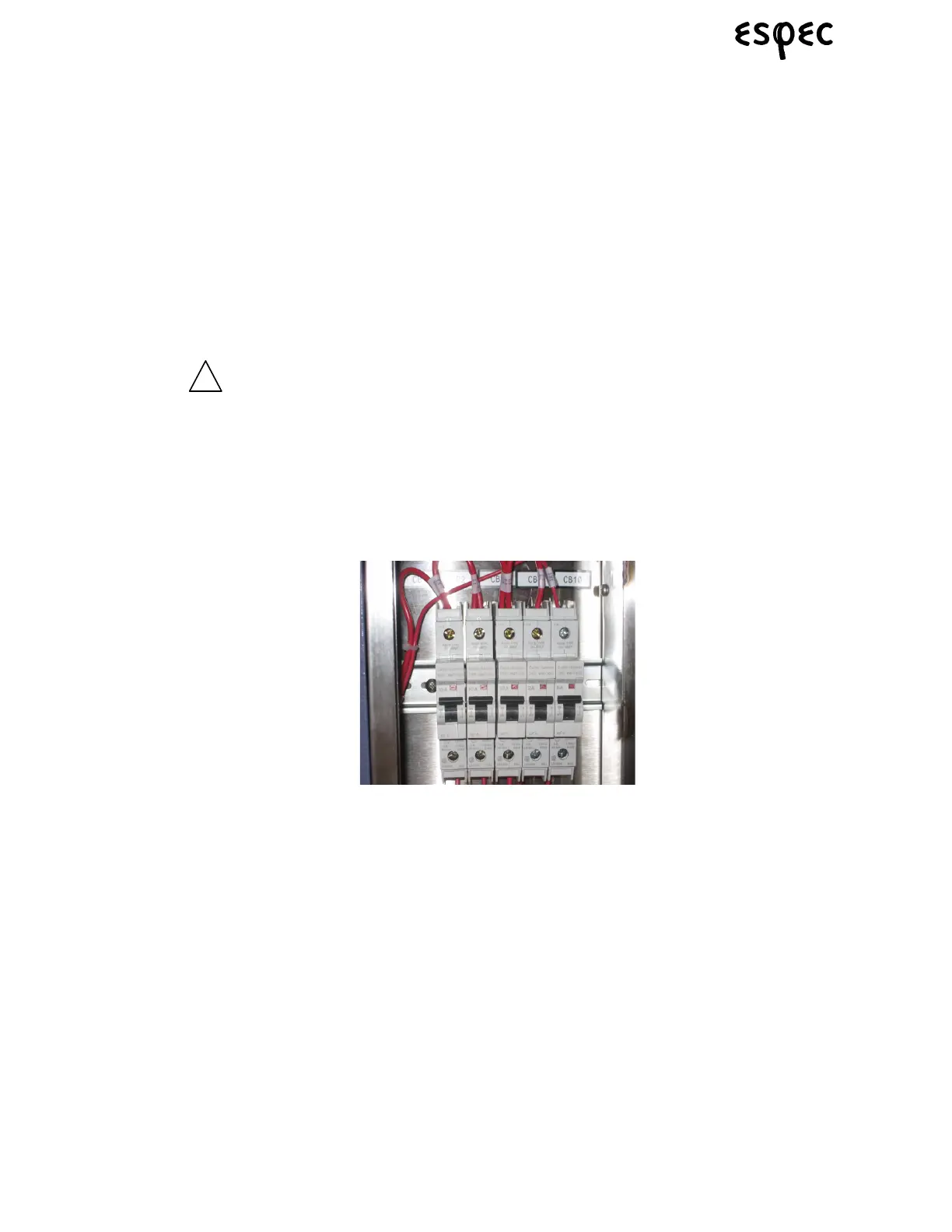
FIGURE 8.8.VIEW OF CIRCUIT PROTECTORS IN THE”ON” POSITION
3. Locate the tripped circuit protector. To reset, move the protector to the off position and back to the on
position.
4. Secure access cover with all fasteners.



 To Next Page