Checks and Maintenance
44
Bench Top User’s Manual
Procedure:
1. Remove the wet-bulb wick from its bag.
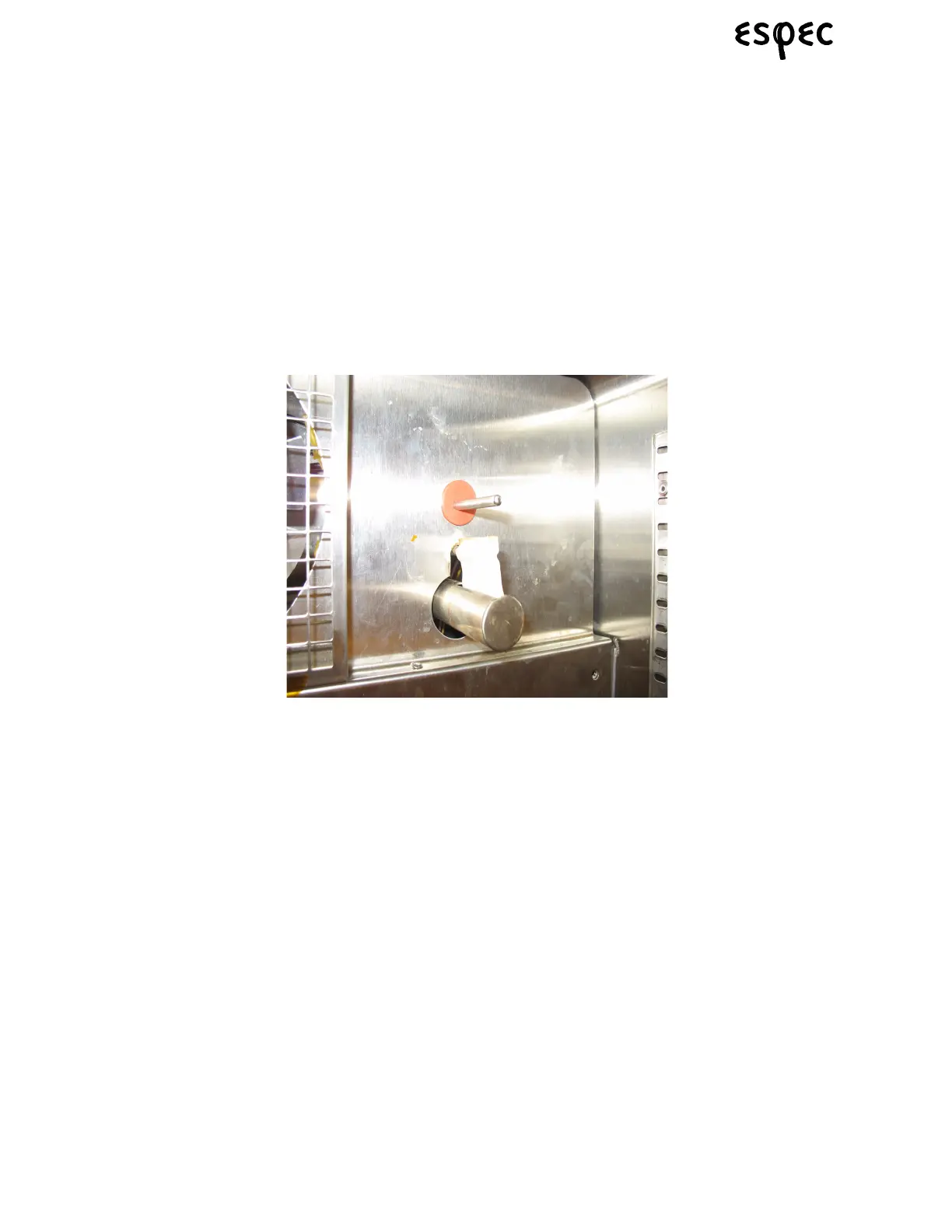
2. Drape the wet-bulb wick over the wet-bulb temperature sensor. It is easier to drape the wick over the
sensor by folding it in half.
Note: Make sure the tail end of the wet-bulb wick is aligned with the tip of the wet-bulb
temperature sensor. Humidity control can be destabilized if the sensor is overly
exposed or if the sensor is out of position.
3. Curve the ends of the wet-bulb wick upward to the same side so it sits smoothly on the bottom of the
wick pan.
4. Lay the ends of the wet-bulb wick in the central trough of the wick pan.
FIGURE 7.6.HOW TO SET THE WET BULB WICK
Note: When running a temperature-humidity program, always supply the wick with water,
even during temperature-only parts of the program. Unless water is continually
supplied, the wick might dry out, which will interrupt testing in progress when the
situation is detected.
Reference: Remove the wet-bulb wick for temperature-only tests, especially if running the
chamber above ambient temperature. Should the wick dry out, it will be harder to
supply it with water, which will throw off humidity measurements the next time a
humidity test is run.



 To Next Page