Web Access and Mobile App 43
Set Levels
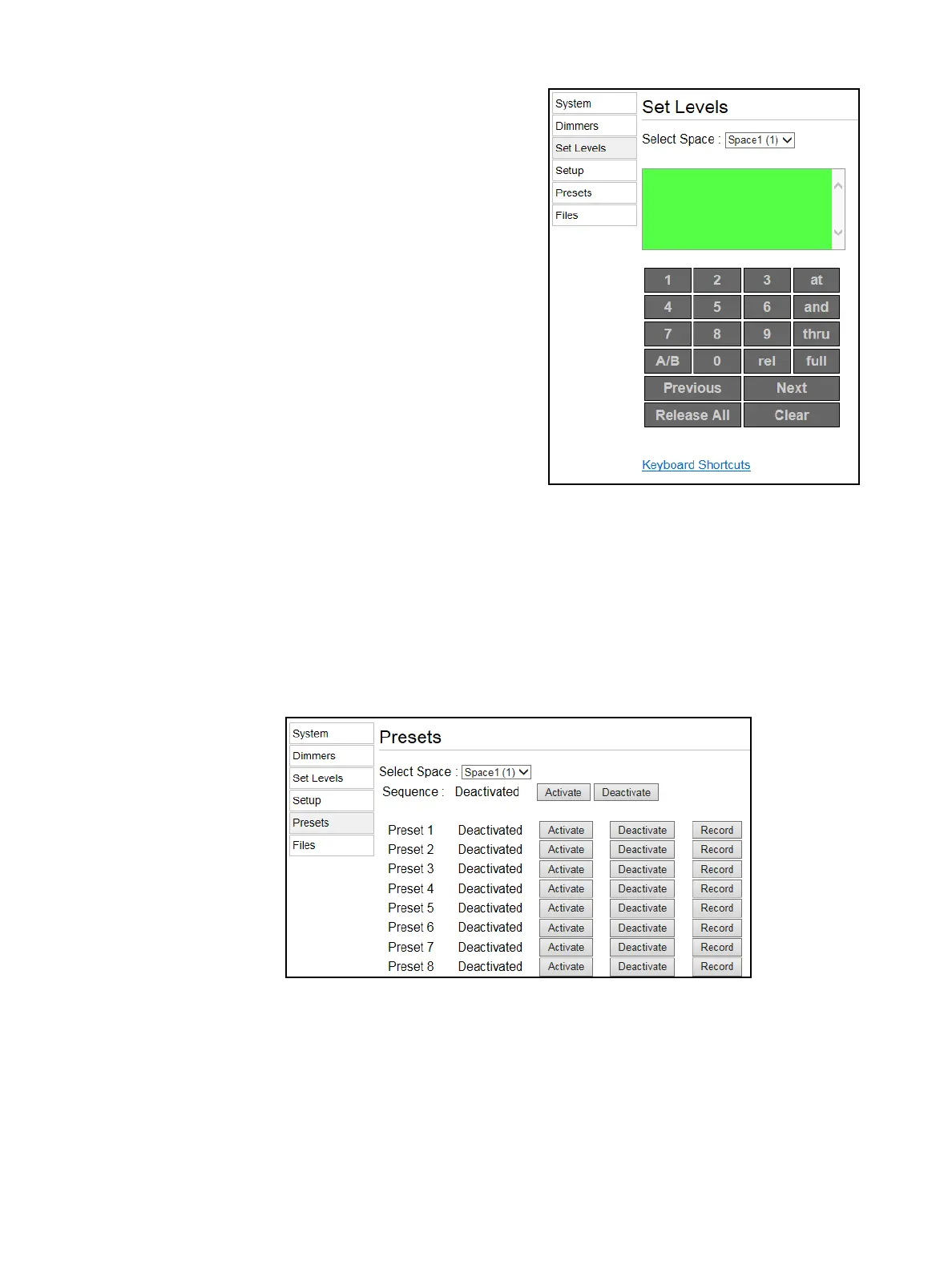
This page allows you to set and release levels for any
circuit in the rack.
You can use the displayed keypad or a connected
keyboard to input commands into the green
command window.
Once the command line reaches complete syntax it
will be automatically entered as signified by a “*” at
the end of the command line.
• Select the desired space using the Select Space
field at top (if applicable).
•Use the and button and thru button to select
multiple circuits or ranges of circuits.
•Use the A/B button to specify any dimmer
doubled circuits (if applicable).
•Use the rel button to release channels.
•Use Release All to release all current levels.
•Use Previous and Next to cycle through
successive channels.
• Clear clears the command line.
Setup
This page allows you to alter the Control Mode or Curve for any circuit in the rack. Click Apply Changes
when you have completed all the desired changes.
Presets and Sequences
Use this page to activate or deactivate a sequence or activate, deactivate, or record a preset for a
selected space. For more information on presets, see
Recording and Playing Presets
on
page 27
, and
for more information on sequences, see
Recording and Playing Sequences
on
page 29
.



 To Next Page