ETEL Doc. - Operation & Software Manual # DSC2P 903 / Ver. F / 3/6/05 Chapter B: System setup & tuning
Operation & Software Manual
Direct Drives & Systems 59
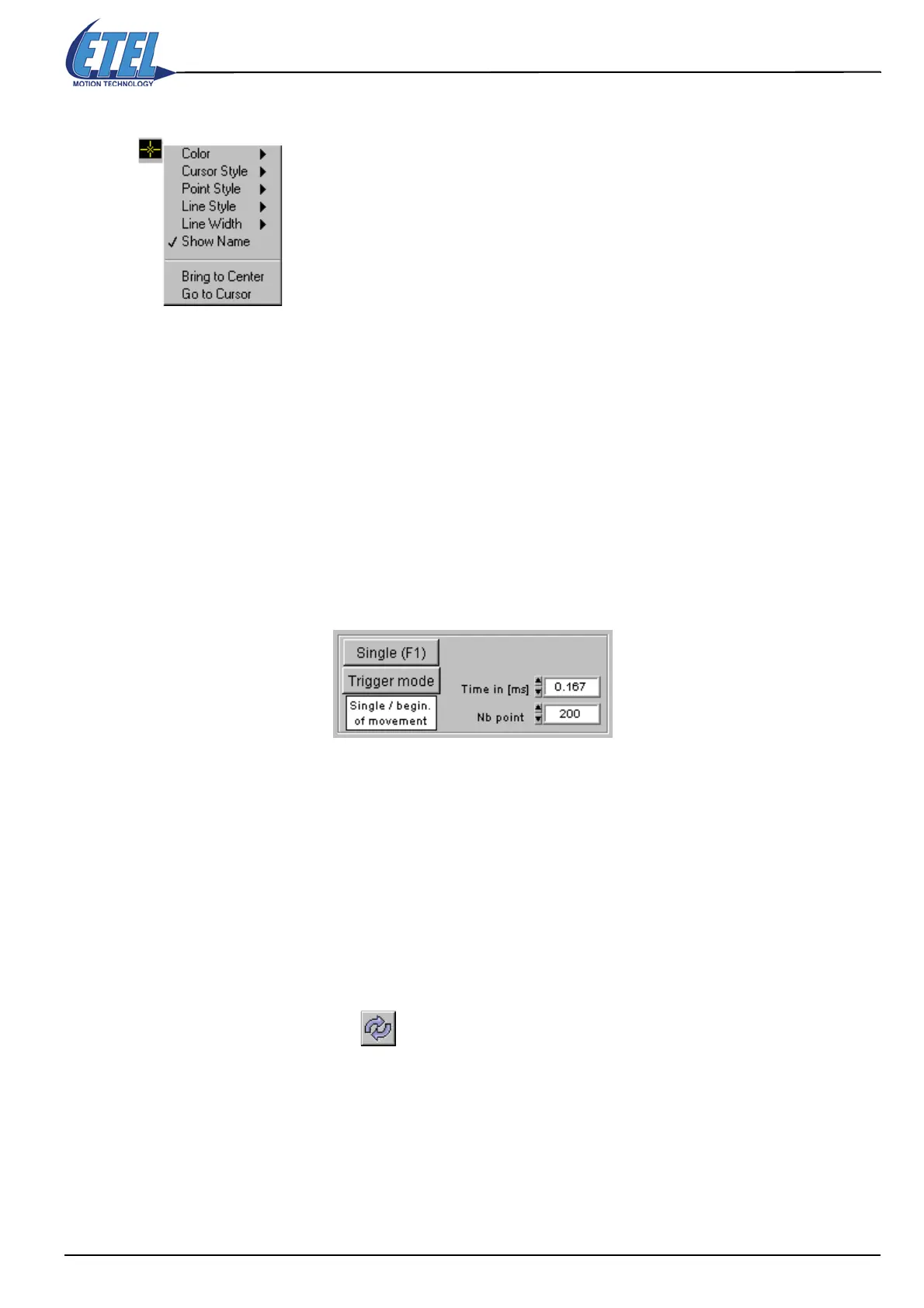
Modify the cursors:
To change the cursor's aspect, click on the yellow target.
Note: To suppress the cursors from the display, select Color in the scroll menu, and
click on the little ''T'' (like transparent) in the colors palette bottom left corner.
8.4.4 Scope's Trigger
This window includes also a Trigger mode button. The trigger settings enable the user to completely define
the scope's acquisition parameters and acquisition mode.
8.4.4.1 Total acquisition time
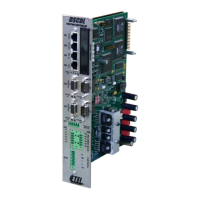
• Type in the 'Nb point' field the number of points you want to be sampled (max. 1000).
• Type in the 'Time' field the time between sampled points.
The total acquisition time displayed on the scope's X axis is:
X = Time x 1E-3 x Nb point
• If we take the example of the window displayed above, we have:
0.167 x 1E-3 x 200 = 33.4 milliseconds displayed on the X axis.
8.4.4.2 Change trigger mode
• Click on the Trigger mode button: Select mode appears on the button with a pop-up menu on its right side.
It is now possible to set the trigger to four different acquisition modes: Roll, Continuous, Single or Stop
(refer to the next picture).
•The Roll mode lets the scope run all the time.
•The Continuous and Single trigger modes have a 2nd level pop-up menu to set the acquisition's start.
• Stop will stop the acquisition on the last image displayed. If the trigger waits for a signal which is not
coming, use the Reset button to release the trigger and modify the settings.
While the button is pressed in Select mode, all the Scope functionalities are disabled. You must click again to
release the button in Trigger mode to activate the scope again.
8.4.4.3 Simple trigger
• The second level of the pop-up menu enables the acquisition start setup of the Continuous and Single
triggers.
• The first three triggers are simple:
The acquisition start can be: Immediate, at a Beginning of movement, or at an End of movement.


 To Next Page