ETEL Doc. - Operation & Software Manual # DSC2P 903 / Ver. F / 3/6/05 Chapter B: System setup & tuning
Operation & Software Manual
Direct Drives & Systems 67
8.6.2 Download (create, open, modify) sequences / registers
It is possible to directly type sequence lines or registers in the editor window. It is also possible to open
sequences and registers saved on your PC (*.par, *.seq, or *.txt files). The sequence (including or not including
registers values), or the registers may only be downloaded into the controller.
8.6.2.1 Download a sequence into the controller
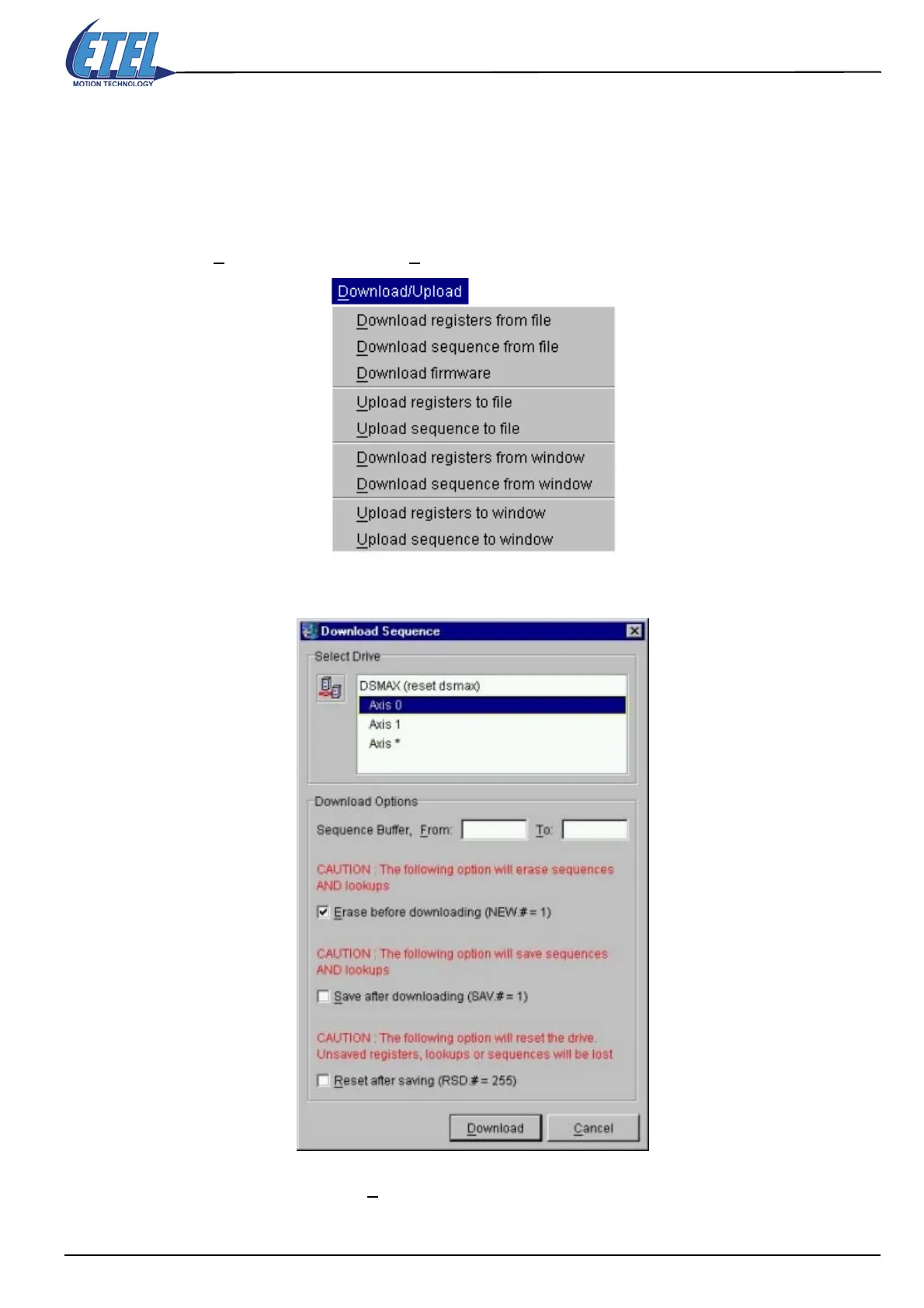
• Click on D
ownload/Upload, then on Download sequence from window, in the menu bar.
•The Download Sequence window appears
• Select an axis and click on the D
ownload button. Wait until the sequence is completely downloaded.


 To Next Page