E8_Aus_rev07 – 2021-02-02
6.4 FIRST START-UP
The unit is packed with the door closed.
- Take out the accessories inside the sterilisation chamber and remove the packaging.
- Connect the unit to the power socket following the safety instructions in chap. 6.3 “Electrical connections”.
- After opening the door (3 of Fig. 5.1.1-1) that provides access to the general switch, and to a service
serial port, switch the unit on using the ON-OFF switch.
6.5 HOW TO USE THE CONTROL PANEL
6.5.1 How to use the control panel
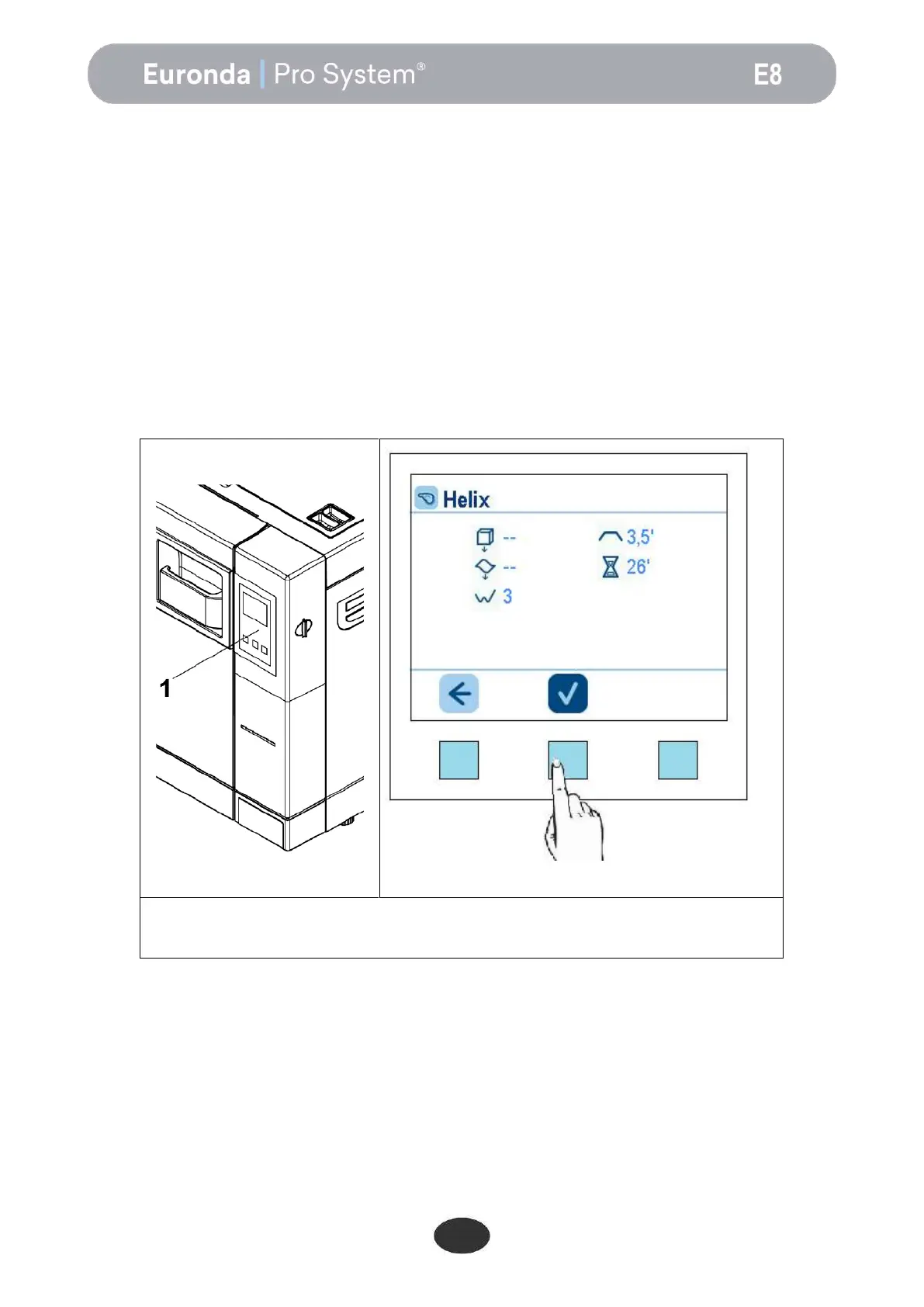
The E8 water steam steriliser has a user interface screen with 3 soft touch buttons (1 in Fig. 6.5.1-1).
The backlit buttons are used to perform all the programming, use and maintenance functions of the unit.
Their function depends directly on what appears in relation to them on the screen. Press the button of the
required function, as shown in the example below.
Example: press the button in the middle, as shown in
the figure, to run the cycle, or press the button on the left
to exit.
The physical buttons will not be shown again in the manual as it should now be clear which button to press in
any given situation.
For specific uses, see chapter 7.


 To Next Page