E8_Aus_rev07 – 2021-02-02
"PRODUCTION DATE"
The symbol must be accompanied by the year.
The year must be composed of four digits.
"WARNING, READ THE INSTRUCTIONS MANUAL”
“RECYCLING SYMBOL”
The symbol means that at the end of the life of the equipment must be disposed of at
appropriate collection points, and not with standard household waste (European Union
only).
5.3.2 Noise level
The unit has been designed and built to reduce the maximum noise levels, which are lower than 64 dB(A).
5.4 OPTIONAL PRINTER (INTEGRATED)
5.4.1 Integrated label printer
With the printer set using the settings menu, upon completion of each cycle, the printer shows the results of
the cycle, both if it was successful or unsuccessful, or if it has been stopped manually, or caused an alarm.
- The printer only works if the label roll is inserted.
- If no label roll is inserted, the printer does not work.
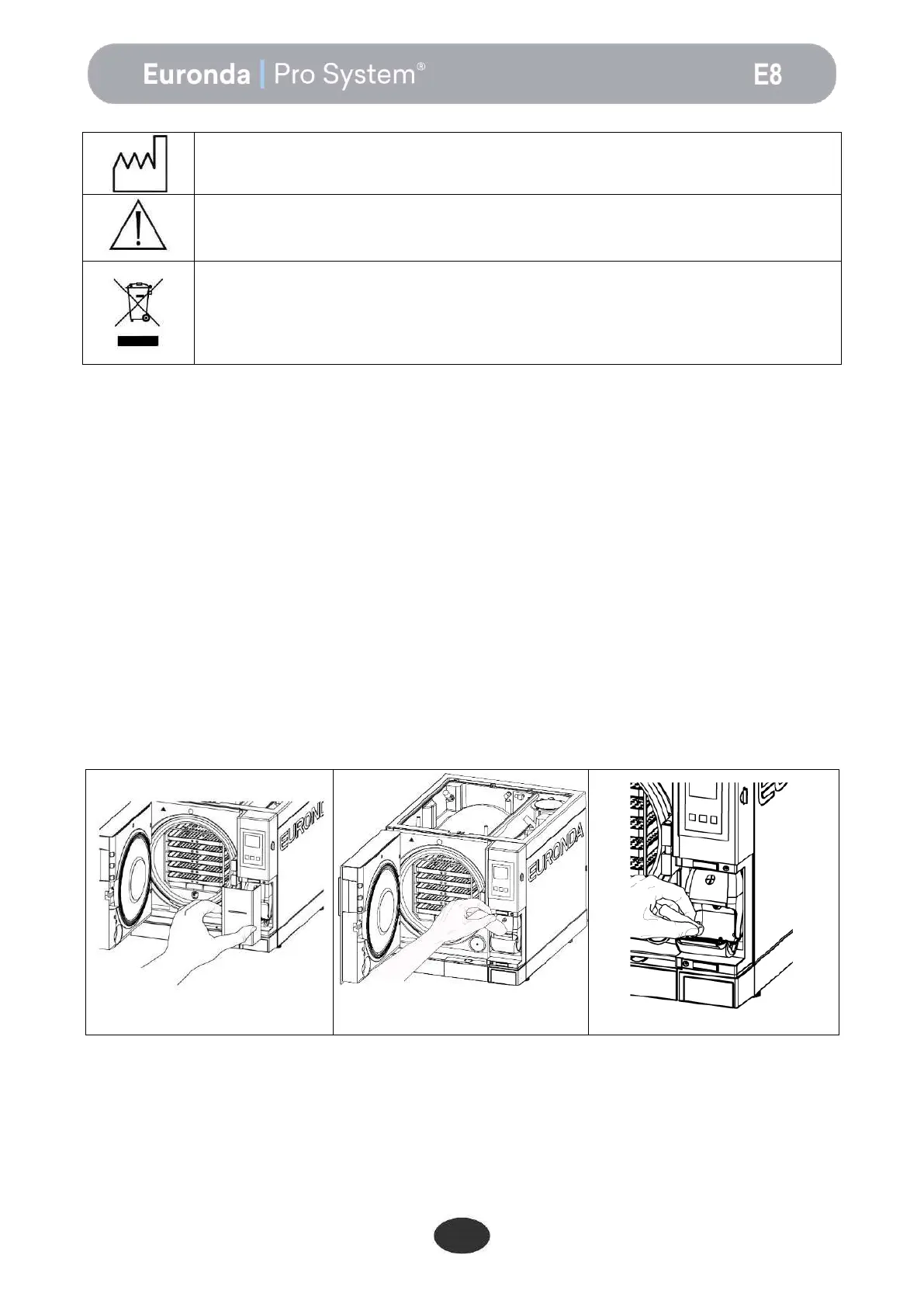
To fit a new label roll:
1. Open the main door and remove the magnetic door at the front.
2. Open the label roll housing cover by holding the sides with your fingers and pulling it down slightly.
3. Remove the used roll, if present.
4. Fit the new roll of labels as shown in the figure; make sure the paper leaves the roll in the right direction.
5. Pull the paper, close the cover and tear off the excess paper
6. Reposition the magnetic door at the front.
Only use original Euronda labels.


 To Next Page