E8_Aus_rev07 – 2021-02-02
7.7.2 Expiry days and label number set up
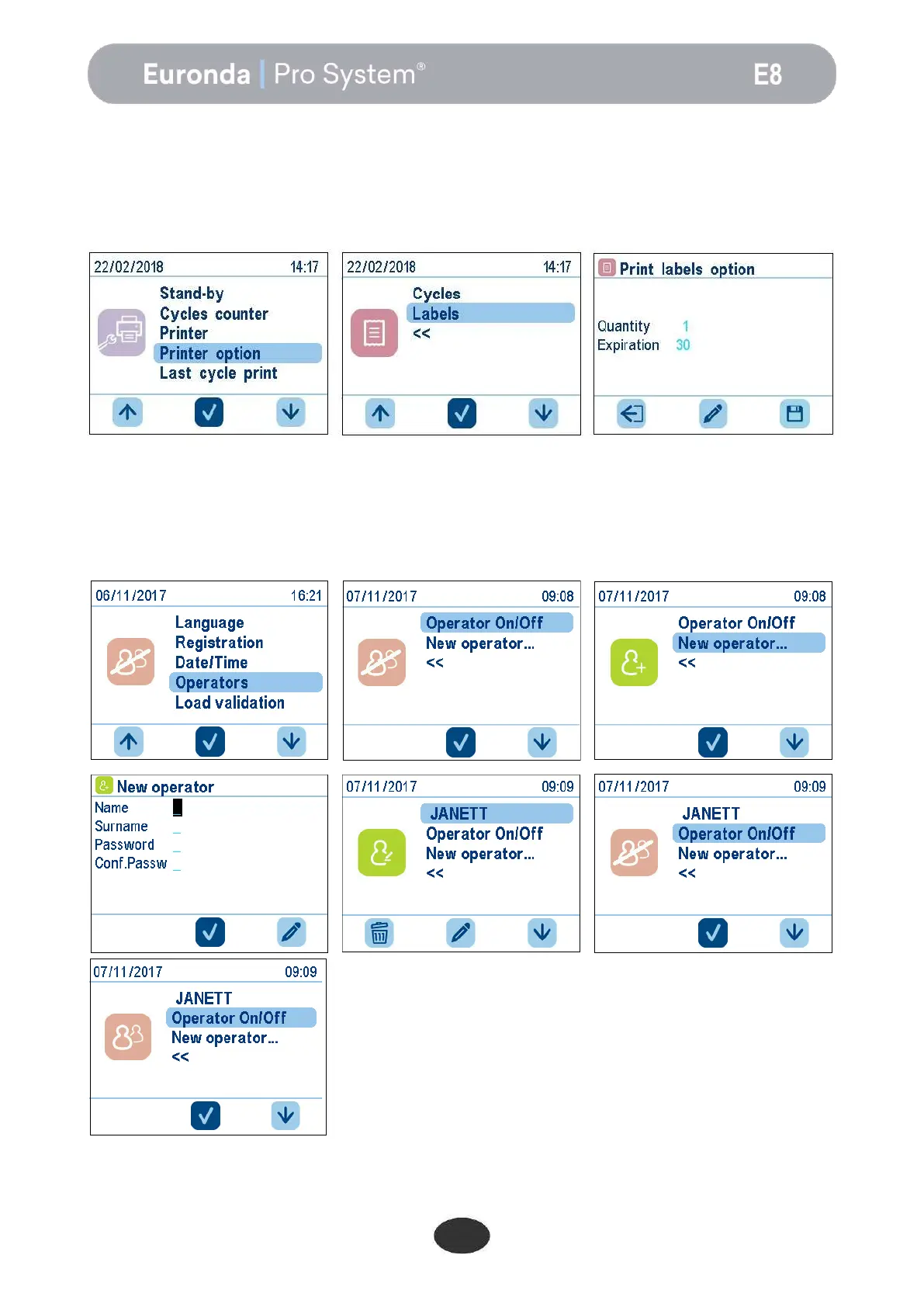
In label printing mode, the unit prints the sterile condition expiry days on the labels.
By default the unit assigns an expiry of 30 days, and the number of labels to print to 0.
In order to change the number of labels, simply select the upper field, and change the value using the up and
down arrows. Use the lower field to change the expiry days. The various changes made will become active
once confirmed by pressing the right button, therefore leaving the specific screen.
7.7.3 User set up
The unit gives the possibility of associating each sterilisation cycle to the user launching it. By default, this
function is not enabled. To enable it, simply access the Operators menu. Enter a list of users, with the name
and/or surname of each one of them. Each user must be allocated a password. After entering the users,
activate the list by selecting the operator on/off option and pressing the middle button. The users are active
when the icon is no longer struck through.


 To Next Page