E8_Aus_rev07 – 2021-02-02
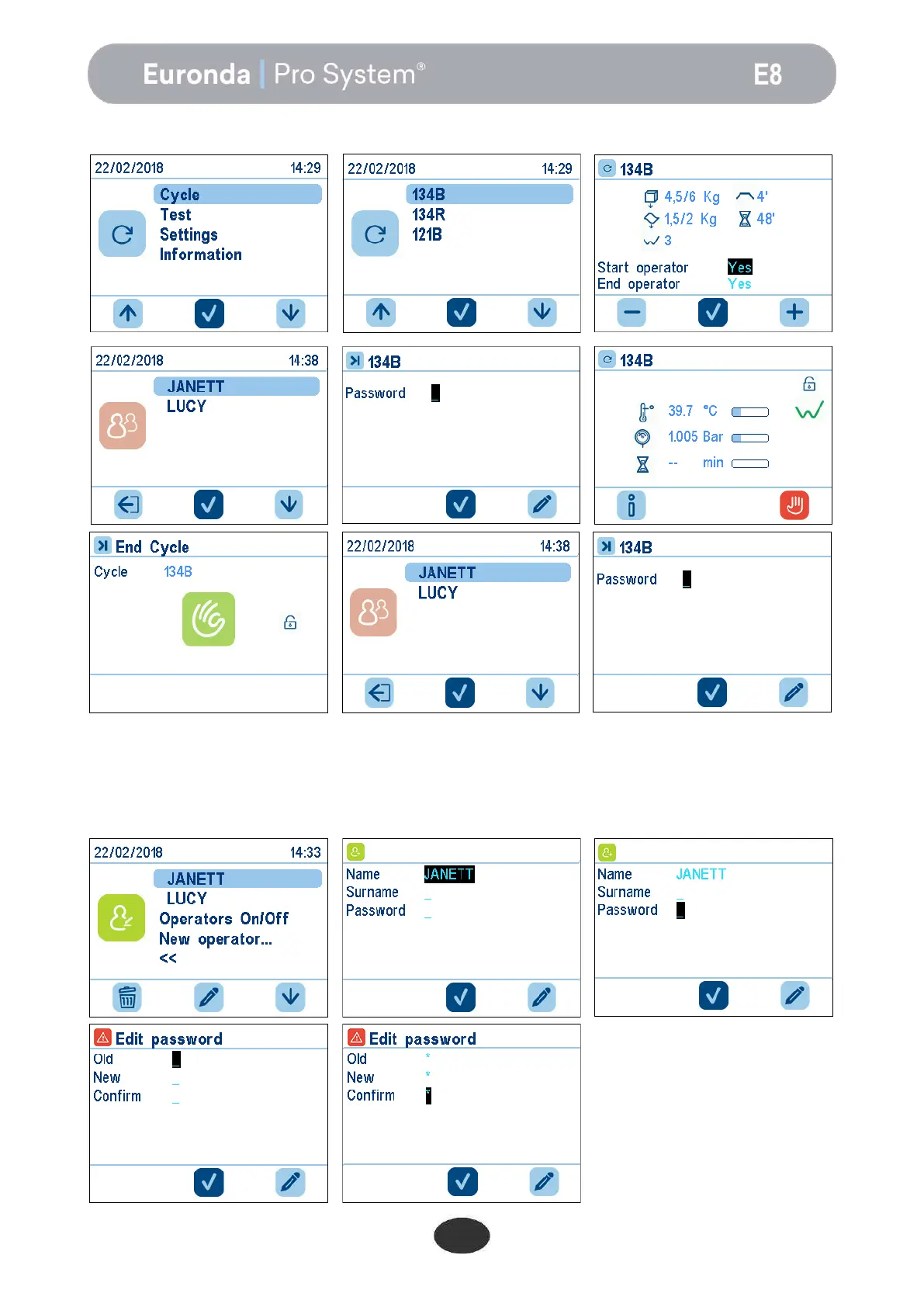
When the cycle is launched, the user will be able to select the user name on the list.
The user password can also be changed at a later stage.
To change the password, enter the Users menu, select the user whose password must be changed, and
select the password field.
A new screen will appear, where it will be sufficient to enter the old password, the new password, and the
confirmation of the new password.


 To Next Page