E8_Aus_rev07 – 2021-02-02
CHAPTER 7
7.1 PROGRAM MENU
Before beginning to operate the unit, carefully read all the warnings indicated in this
manual, especially chap. 3 “Safety”.
During the sterilisation cycle NEVER OPEN the cover of the tank.
Once the installation procedure has been completed (chap. 6.6 “Installation menu”), the next time the unit is
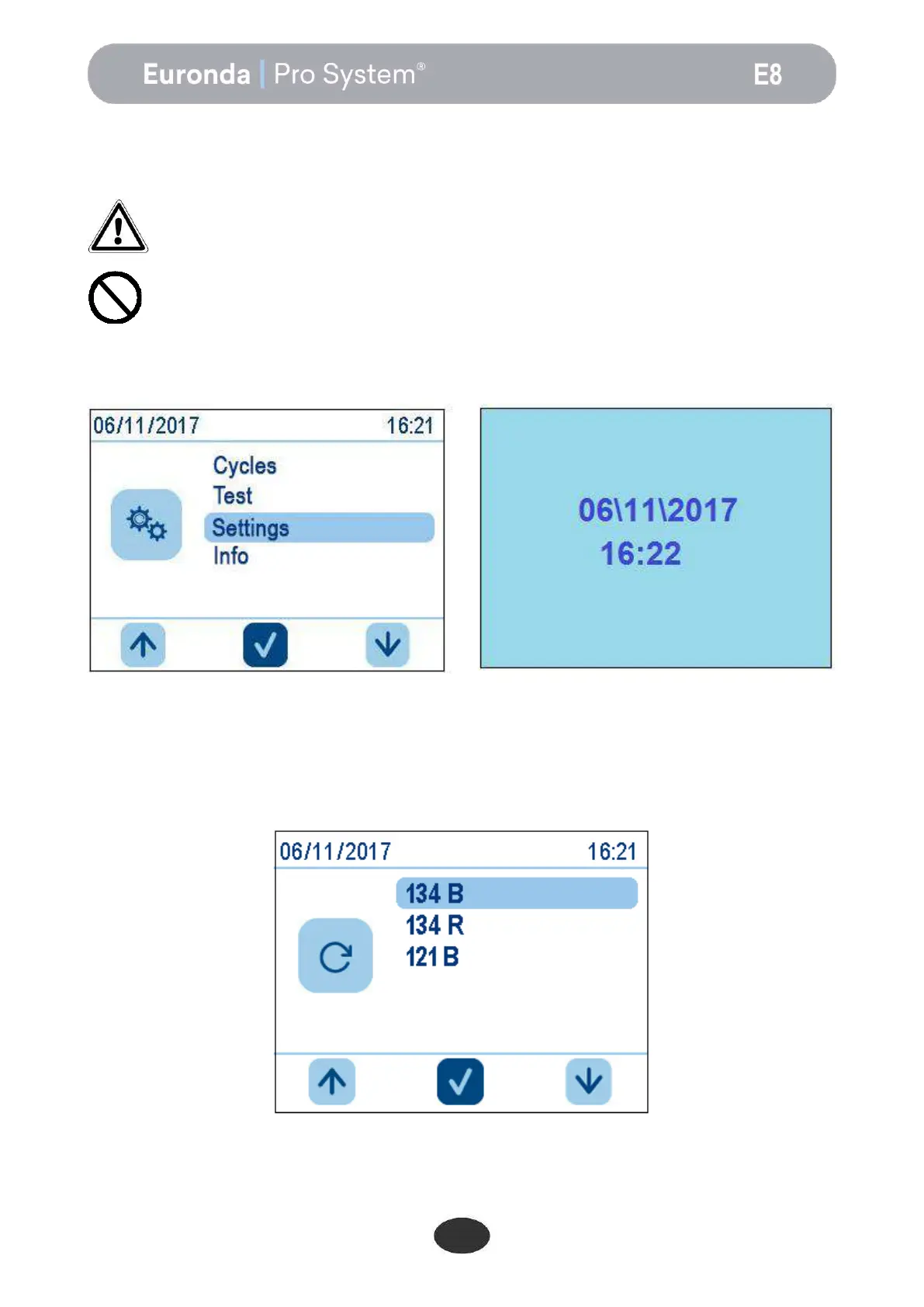
switched on, using the ON-OFF button, the following welcome screen appears:
after a few seconds, this is replaced by the HOME screen. If no activity is performed on the autoclave for a
minute, the home screen is replaced by the screensaver.
From the HOME screen it is possible to select the sterilisation cycle, access test procedures, or sub-menus.
To select the cycles, simply select Cycles. for the sub-menus select Settings, and for the tests TEST.
Press Cycles to access the following screen, where the desired cycle can be selected.


 To Next Page