E8_Aus_rev07 – 2021-02-02
7.7 SETTINGS
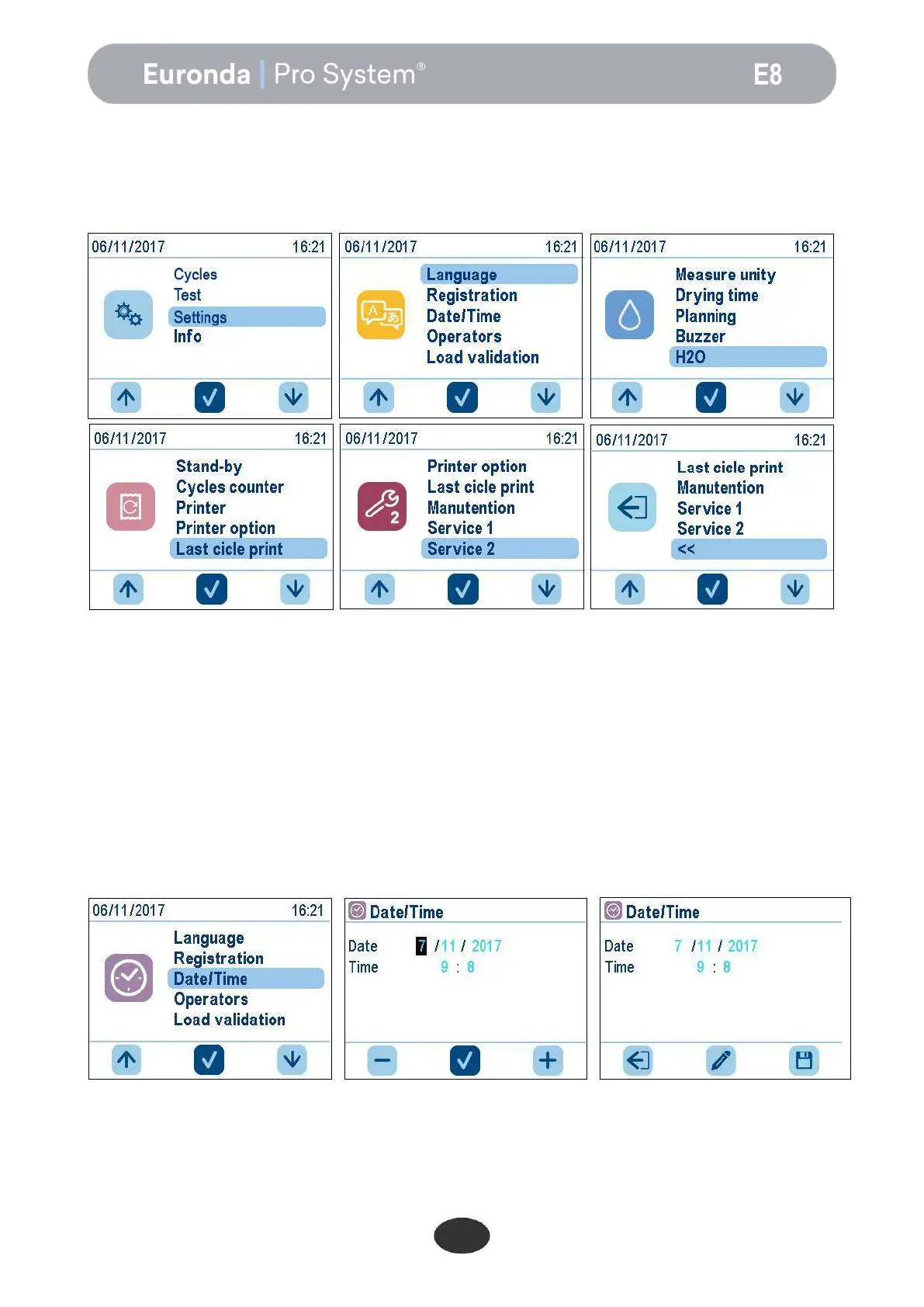
In the HOME screen, press the relevant down arrow to scroll through the menu to Settings and then press
the middle button to access the Settings menu.
Press the arrow buttons to scroll through the options in each list and the middle button to access the
selected option.
To exit the settings, scroll through the entire menu to “<<” and press the middle button to confirm.
This menu can be used to set the various operating parameters of the steriliser.
7.7.1 Date and time set up
To change the date and time of the unit, simply increase or decrease the numbers in the field by pressing the
up and down arrow buttons. To move to the next field, press the middle button; in the minutes field, press the
right button to save the changes, the middle button to change the fields again, or the left button to exit
without saving the changes.


 To Next Page