E8_Aus_rev07 – 2021-02-02
CHAPTER 8
8.1 INSERTING AND REMOVING THE SD CARD
Turn off the steriliser before removing the SD memory card. Put the SD memory card back
in before turning the unit on again. The absence of the SD memory card during operation
may cause errors.
Do not perform cycles if the SD memory card is not inserted: if cycles are performed
without the SD memory card, or if the card is removed during the cycle, the corresponding
cycle data will be lost.
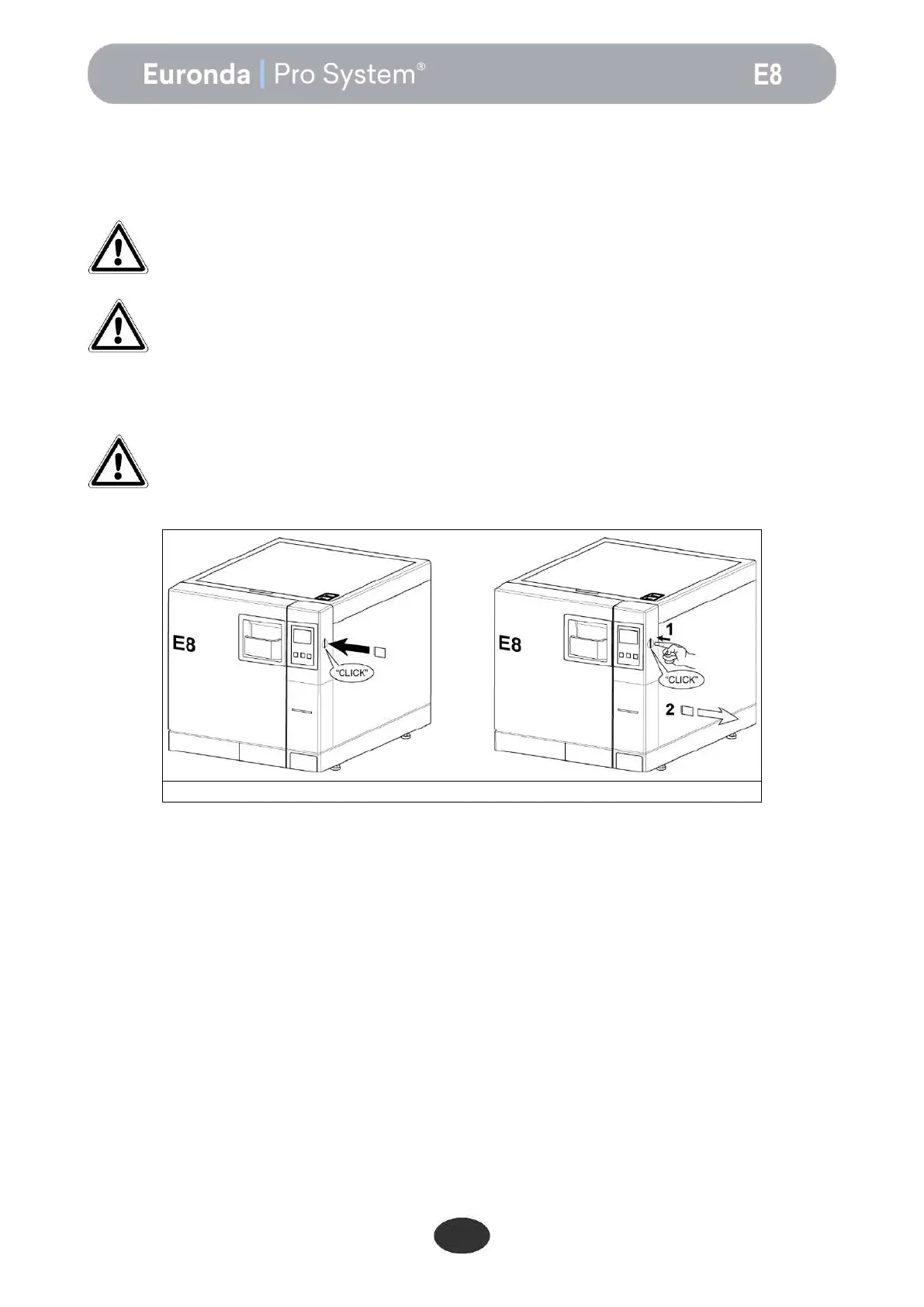
To insert and remove the SD memory card into/from the slot, simply push it in (ensuring that the pin faces
the front of the autoclave) until it clicks in position.
If the SD card enters the slot with difficulty, do not force the mechanism and check it was
inserted in the right direction.


 To Next Page