The Harmonizer
®
Programmer’s Manual
© 1999-2008 Eventide, Inc. Page 50 of 97 Release 1.3
• Finally, we’ll want (though we don’t need) a “Sweep” monitor that monitors the output of the LFO
module.
We’ll hook each one of these up and then use the Vsigfile
Specifier
Display window to set all of the various
specifiers correctly.
Strength
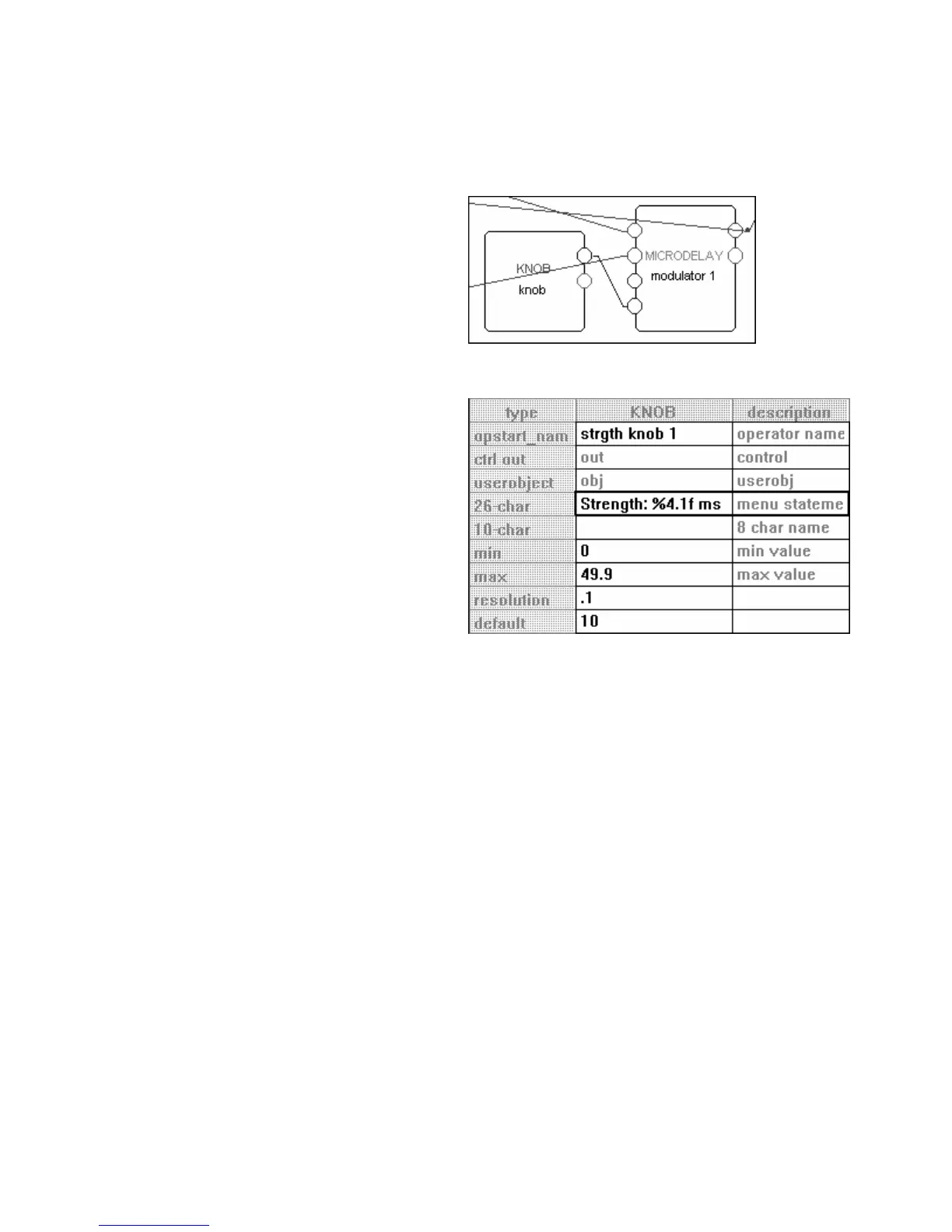
The first “parameter adjuster” we’ll want to add is a
knob module (from the “Interface” group). Go ahead
and add it, and connect it to the microdelay
module as shown.
Then double click on it to enter the Vsigfile
Specifier
Display
window. To the right is how we’d like to set
everything and here’s why:
• We set the module’s name to reflect its purpose.
Adding the “1” at the end ensures that when we
copy this module later, the copied version is
incremented properly.
• The menu statement is what will appear on the menu
page. We write “4.1” because we want the value
to take up four spaces no matter how many digits
there are and because we want only one decimal
point of precision.
• Because this knob module will be connected to
a menupage module and not to the head
module directly, the 8 char name is left blank (it would serve as the SOFT KEY title if the module were
connected directly to the head module).
• The min is set at zero corresponding to no modulation at all.
• The max is set at “49.9” because we set our maximum delay time to 50 milliseconds and we set the
delayamt to “0.1." We don’t want the user to specify a Strength that is greater than what the
microdelay module is set up to deliver!
• We set the resolution to “0.1” so that a spin of the
KNOB results in a reasonable change in the Strength’s
value.
• We set the default value at “10” because 10 milliseconds is a pretty standard flanger strength.



 To Next Page