The Harmonizer
®
Programmer’s Manual
© 1999-2008 Eventide, Inc. Page 54 of 97 Release 1.3
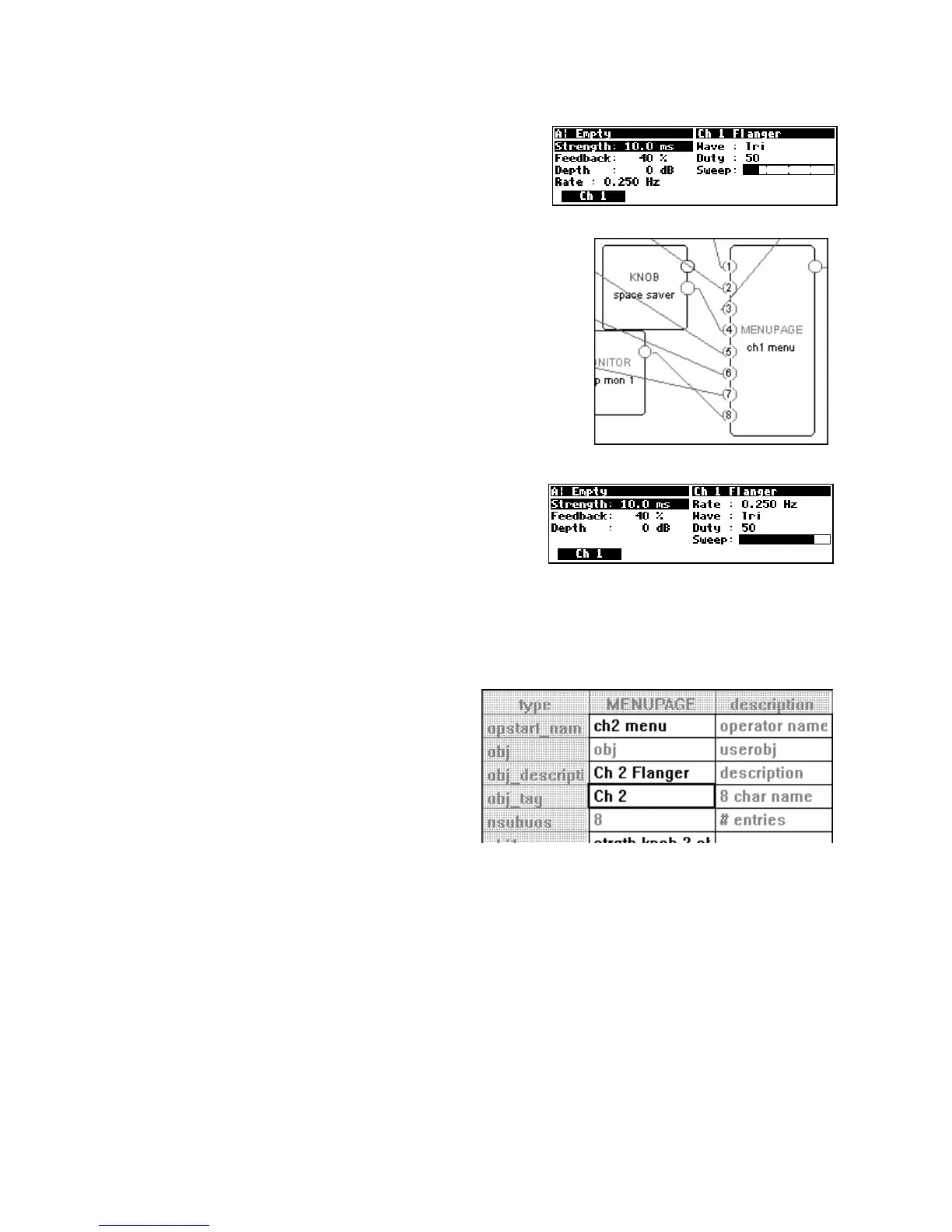
Select the Send command under the Midi menu to upload the
program to the Harmonizer. You should see a screen like that
to the right. If you’ve made any errors (a VERY common
occurrence)
go back and fix things up.
Notice that our “three parameters on the left side and four parameters
on the right side” idea has been shot! This is because the menupage
module “robotically” places “parameter adjusters” in the order they
are connected. What we really need to do is connect a “space saver”
to the fourth userobject input. Add a knob module and leave its menu
statement blank. Then connect its userobject output to the third
userobject input while holding down the Ctrl key on the keyboard.
This will connect the “space saver” to userobject input four
(by adding
a repeating field)
.
Upload the program to the Harmonizer. Things should look
pretty good now. . .
Creating the second channel of this dual flanger is easy now that we have the first channel up and
running. Just select all of the modules on the page, and then Copy and Paste them (if you have trouble pasting
because “you cannot paste file with head into existing file." simply select all of the modules by clicking on each one while
holding down the “Shift” key on the keyboard)
. All of the new modules except for the menupage module will
be named appropriately because we stuck “1”s on the ends of our original module names. Move the
new modules in such a way that the screen is
somewhat understandable.
Double click on the new menupage module and alter
its specifiers as shown to the right.
Follow the instructions on the next page.



 To Next Page