The Harmonizer
®
Programmer’s Manual
© 1999-2008 Eventide, Inc. Page 72 of 97 Release 1.3
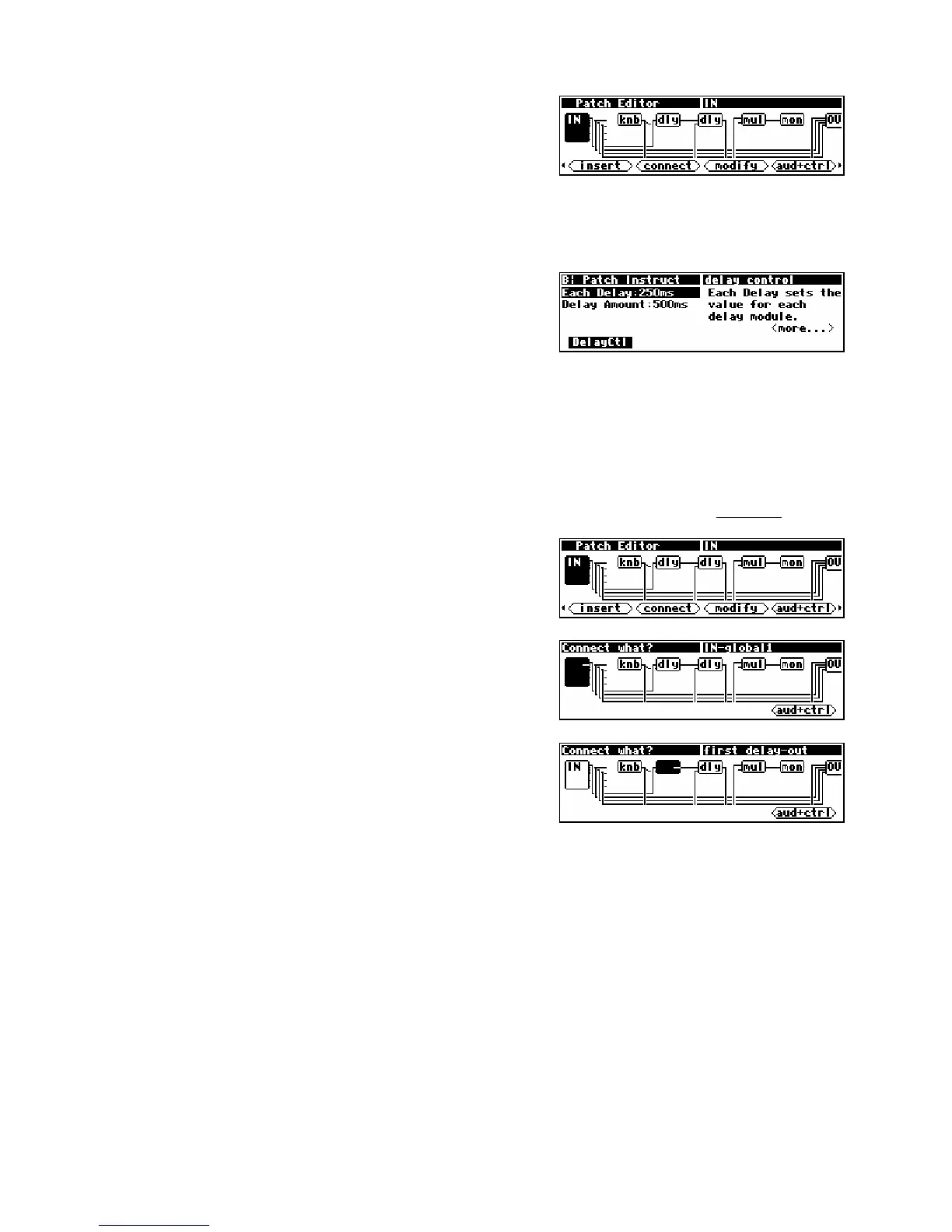
If you press the <aud only> SOFT KEY to go to the aud+ctrl
display mode, you'll see the knobs and monitor that make the
Each delay and Delay Amount parameters shown in the
PARAMETER area work. Notice the mul module. That's a
c_multiply module. It is multiplying the control signal from the knob (
knb) module by a constant
amount (in this case 2 -but you can’t see it in this display) and feeding the result to the monitor (mon)
module.
Go back to the
PARAMETER area (by pressing and holding the
PARAMETER key) to see how these modules and their connections in
the Patch Editor area translate into parameters on a menu page.
The monitor module creates the parameter Delay Amount
that shows the actual delay, while the knob creates the
parameter Each delay that sets the delay for each of the delay modules.
For the sake of demonstration, we'll use the
<connect> SOFT KEY to rearrange the delay (dly)
modules such that one is in “channel” 1 and the other is in “channel” 2, thus delaying each “channel” by
up to 10 seconds (10,000mS).
(Hey! Ya gotta crawl before you can run, OK?)
Press the PROGRAM key and reload Patch Instruct. After the program is loaded, press and hold the
PARAMETER key to re-enter the Patch Editor area.
Press the <aud only> SOFT KEY to get the screen shown to the
right.
Now press the <connect> SOFT KEY. The Harmonizer will
prompt for something to connect.
Using the CURSOR keys, select the output of the leftmost dly
module. You'll know you have the correct output when the
upper right of the display reads
first delay-out. When the
screen looks like the one shown to the right, press the
SELECT
key.



 To Next Page