98
Eversense E3 CGM User Guide
8
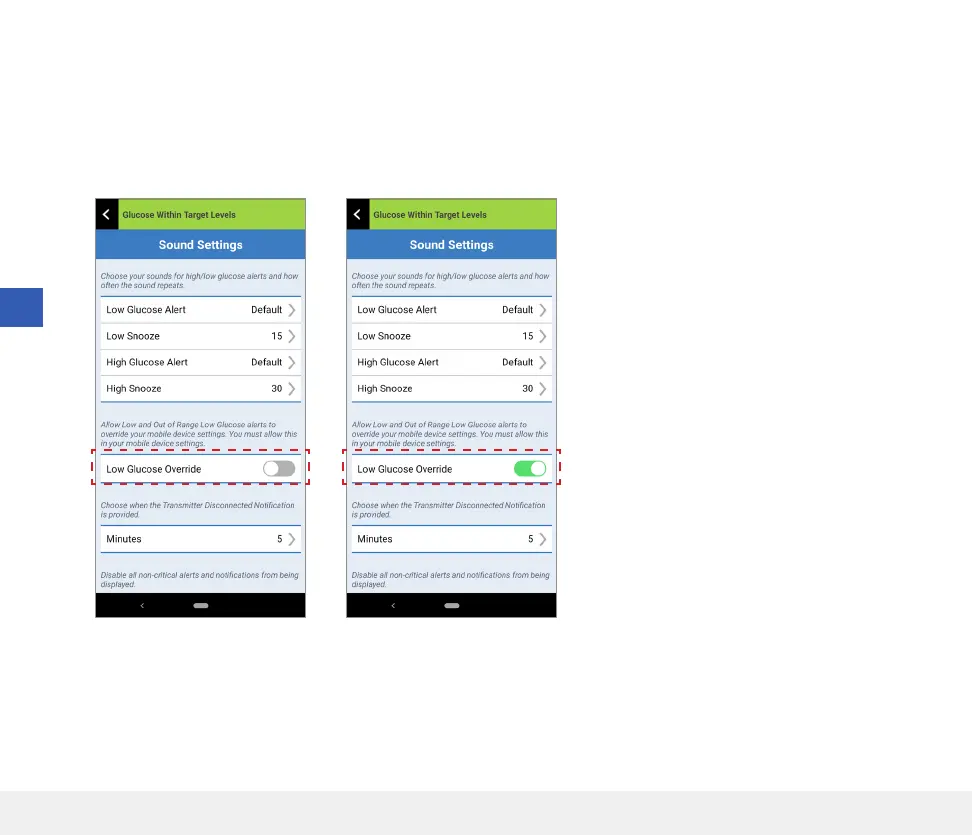
6. Return to the Eversense CGM mobile app.
7. Tap on the Low Glucose Override switch to sound the Low and
Out of Range Low Glucose alerts at maximum volume even if your
device’s Silent Mode, Vibration Mode, or Do Not Disturb is on.
Note: This feature works similar to apps with an alarm clock feature
that will always sound regardless of your phone sound settings.



 To Next Page