3
It is important to charge the smart transmitter battery daily to ensure data is collected from the sensor and sent
to the app. The smart transmitter does not collect information from the sensor or send it to the app while charging.
You may also charge your smart transmitter by connecting the USB cable to a computer USB port instead of the AC
power adapter. Using a computer may take longer to fully charge the smart transmitter battery.
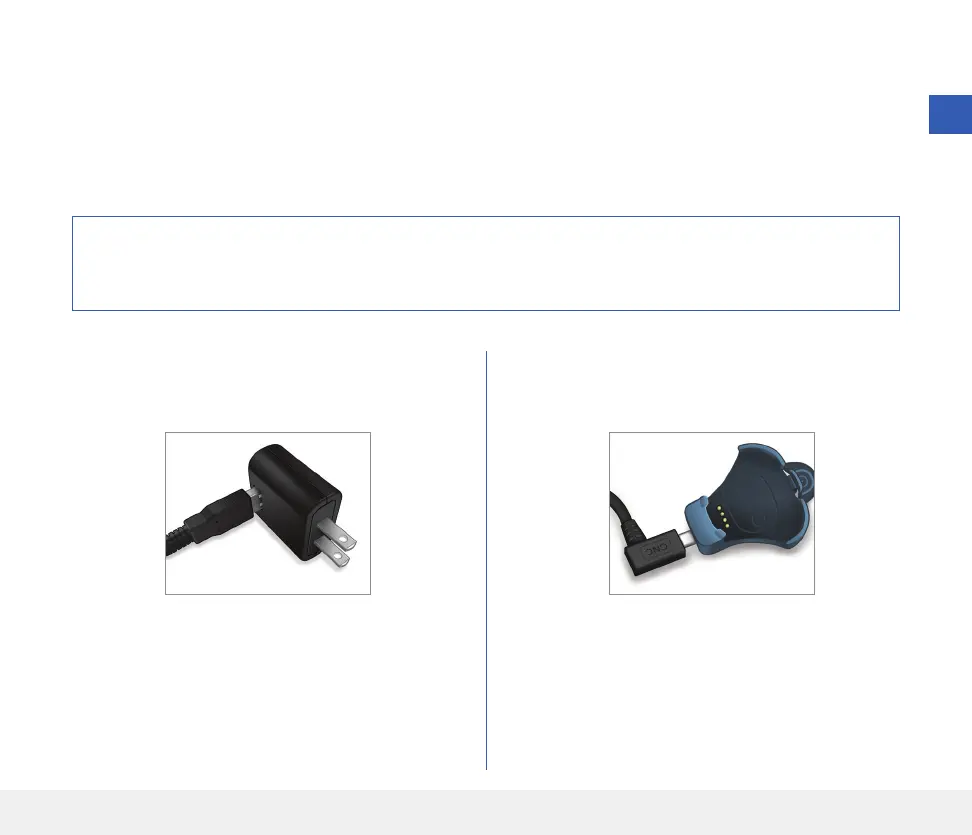
Charge your Smart Transmitter
1. Plug the standard end of the USB cable into the
adapter on the USB port.
2. Plug the micro end of the USB cable into the
charging cradle on the USB port.
Caution: Use only the AC power adapter and USB cable provided with the smart transmitter when charging
the smart transmitter battery. Use of another power supply could damage the smart transmitter, not allowing
glucose readings to be received properly, and could result in voiding your warranty.
23
Eversense E3 CGM User Guide



 To Next Page