9
109
Eversense E3 CGM User Guide
Alert Descriptions and Actions
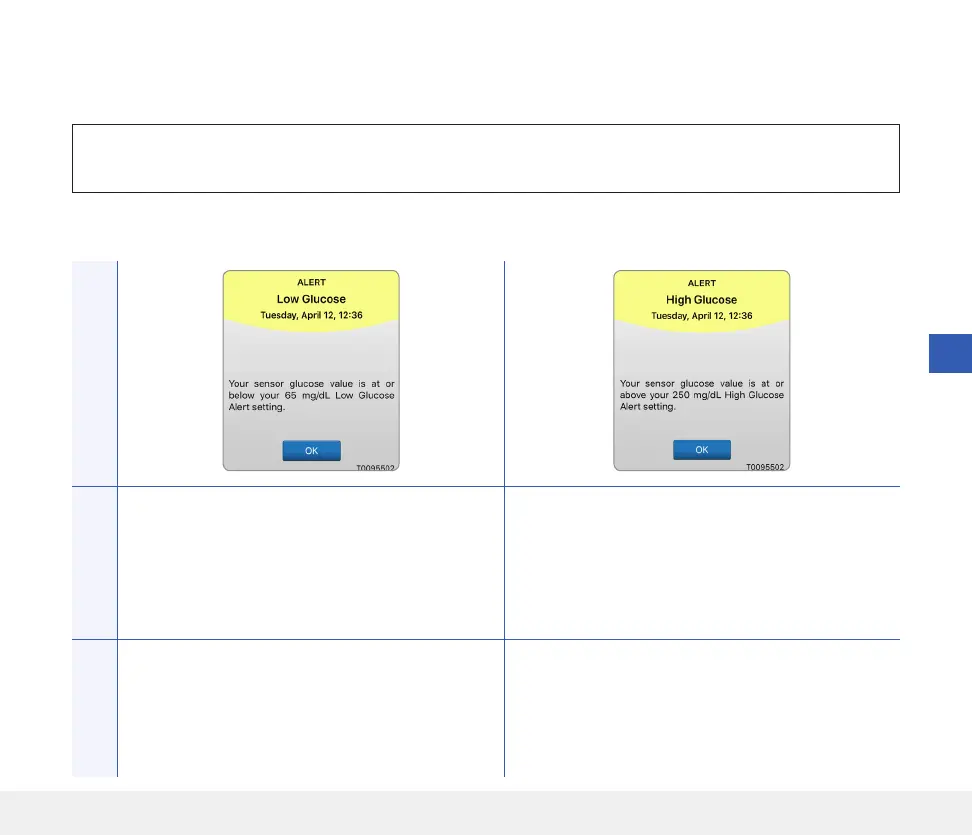
The following table lists the alerts and notifications you may receive on the Eversense App.
IMPORTANT: Alerts marked with a * cannot be turned o in the app or in the smart transmitter using the
DND in the app settings.
App DisplayDescription
Low Glucose*
Appears at the interval you enter in sound settings
when your sensor glucose reading is at or below the
low glucose alert level you set. The default repeat
interval is 15 minutes.
High Glucose
Appears at the interval you enter in sound settings
when your sensor glucose reading is at or above the
high glucose alert level you set. The default repeat
interval is 30 minutes.
Actions
Pay close attention to your glucose values,
symptoms, and trends. If your symptoms do not
match the sensor glucose value, confirm your
glucose value with a blood glucose meter before
making a treatment decision.
Pay close attention to your glucose values, symptoms,
and trends. If your symptoms do not match the sensor
glucose value, confirm your glucose value with a blood
glucose meter before making a treatment decision.
Alerts



 To Next Page