58
Eversense E3 CGM User Guide
7
Eversense Account Management
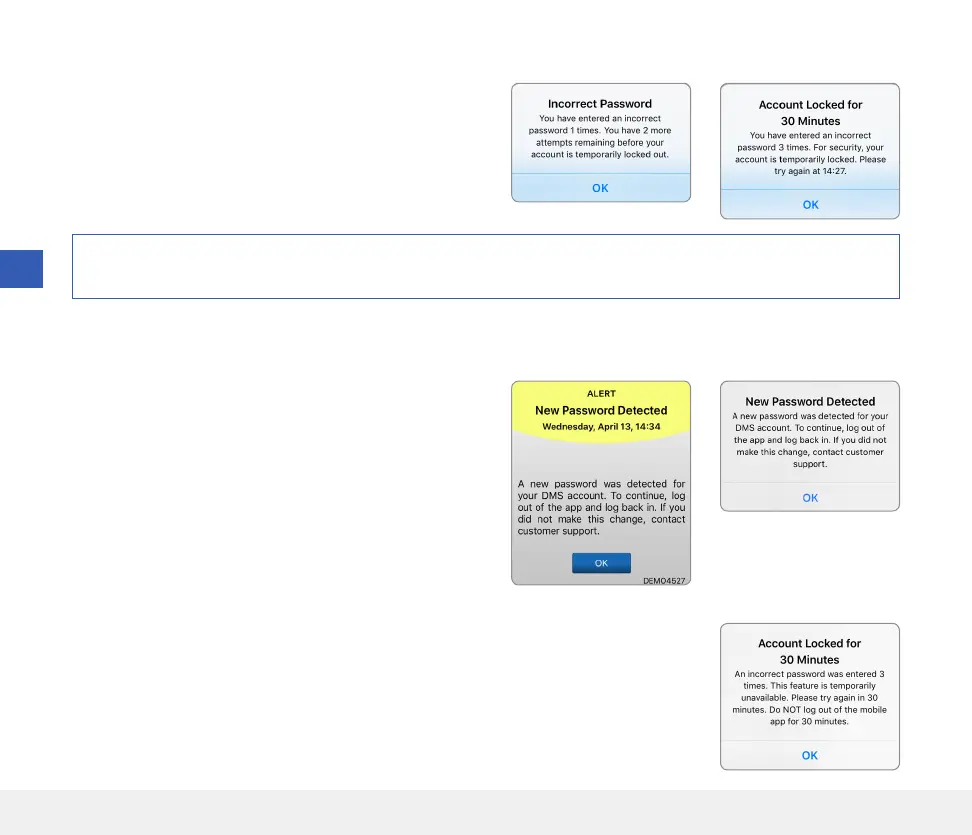
For security purposes if you enter an incorrect password
three consecutive times in the mobile app, your account
will be locked for 30 minutes. During this time, you will
not have access to your CGM data on the mobile app.
Caution: If you cannot access your CGM data, you should monitor your glucose using a home blood glucose
monitor.
If you change your Eversense account password from your
DMS log-in screen or the DMS Change Password page, you
must log out of the Eversense Mobile App and log back in
using the new password. If the passwords do not match,
the Eversense Mobile App will notify you and indicate that
some features are not available, including not being able
to sync your data to your DMS account, not being able to
add Eversense NOW users to your Circle, and not being
able to make changes to your profile picture.
If you enter an incorrect password three times on your DMS log in page, some mobile
app features may be unavailable for 30 minutes, including no data syncing to your
DMS account, no Eversense NOW users can be added to your Circle, and no changes
to your profile picture can be made. You should not log out of the mobile app during
this time.
The Eversense Mobile App will periodically check to confirm your log in information has not been changed via your
Eversense DMS account.
7



 To Next Page