14
157
Eversense E3 CGM User Guide
157
Eversense E3 CGM User Guide
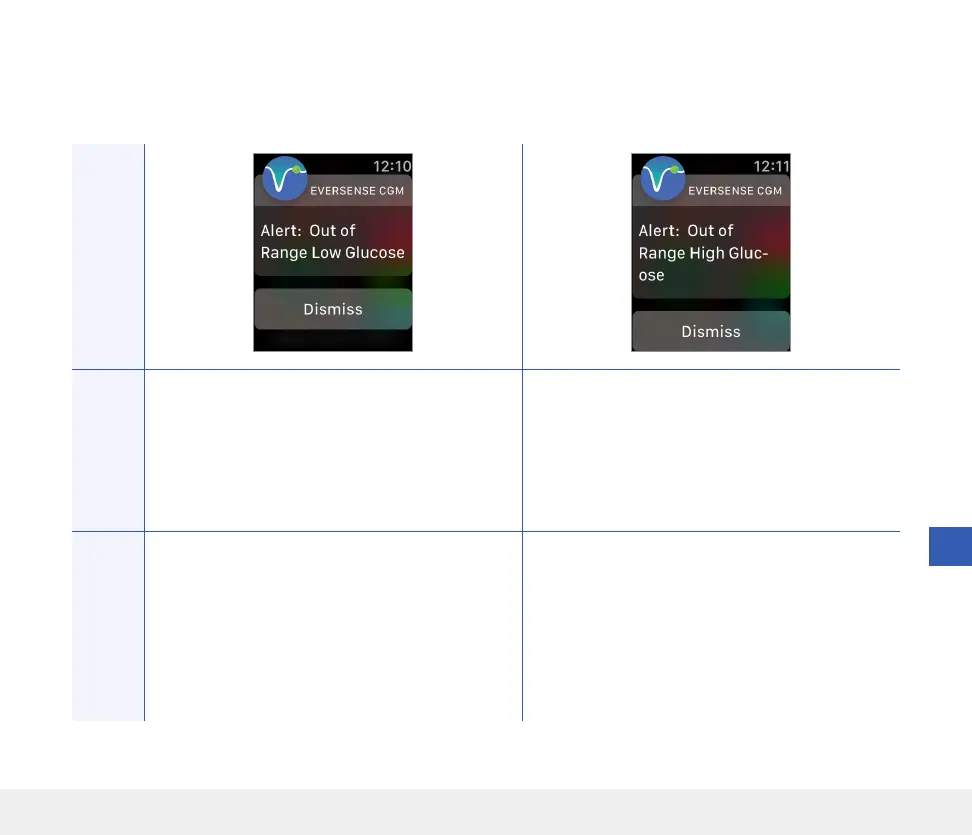
Apple Watch
Display
Description
Out of Range Low Glucose
Appears when your glucose reading is lower than
40 mg/dL.
No glucose readings can be displayed.
Out of Range High Glucose
Appears when your glucose value is higher than
400 mg/dL.
No glucose readings can be displayed.
Actions
Confirm the alert on your Eversense CGM Mobile
App. Measure your glucose manually by using your
blood glucose meter. Always confirm your glucose
value with a blood glucose meter before making a
treatment decision. Once the sensor glucose value
is at or higher than 40 mg/dL, glucose readings
will resume on the display.
Confirm the alert on your Eversense CGM Mobile
App. Measure your glucose manually by using your
blood glucose meter. Always confirm your glucose
value with a blood glucose meter before making a
treatment decision. Once the sensor glucose value
is at or lower than 400 mg/dL, glucose readings
will resume on the display.
Alerts
Alerts and Notifications Displayed on the Apple Watch (continued)



 To Next Page