15
180
Eversense E3 CGM User Guide
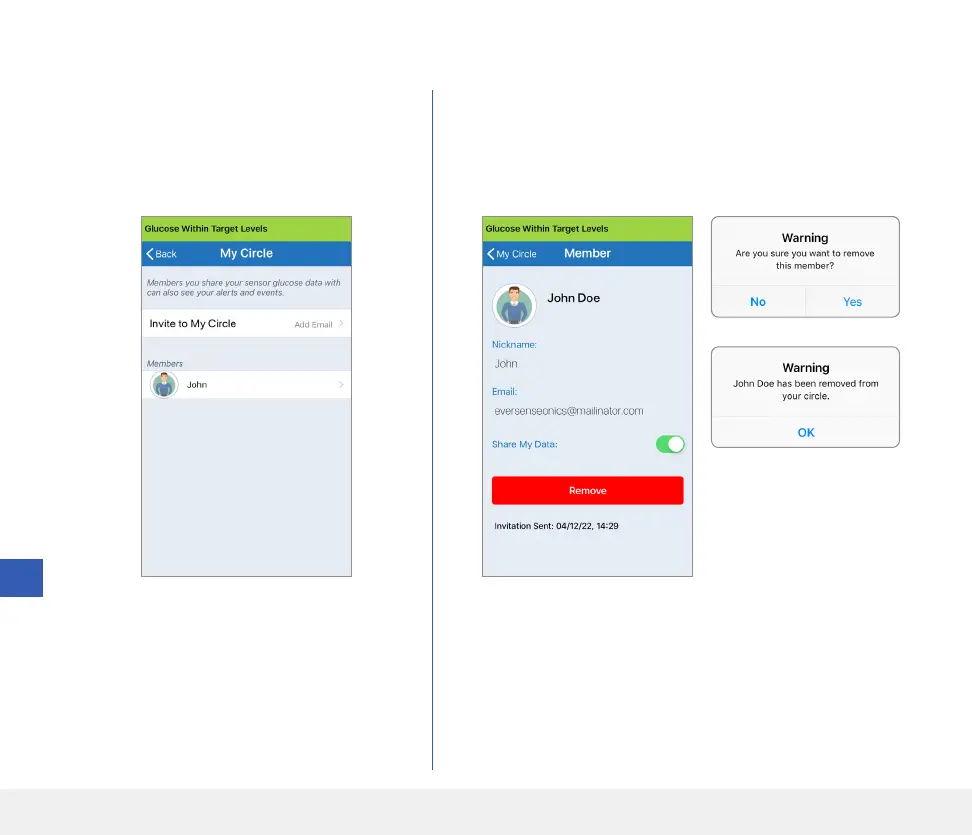
2. Tap Remove to remove the member from your circle.
Tap Yes when prompted.
1. To remove a member or an invitation,
tap the person’s name in the Members
List or the Invitations Sent List on the
MY CIRCLE screen.
Remove a Member from Your Circle
The member you remove will be notified on their Eversense
NOW App if they have already accepted.



 To Next Page