8
81
Eversense E3 CGM User Guide
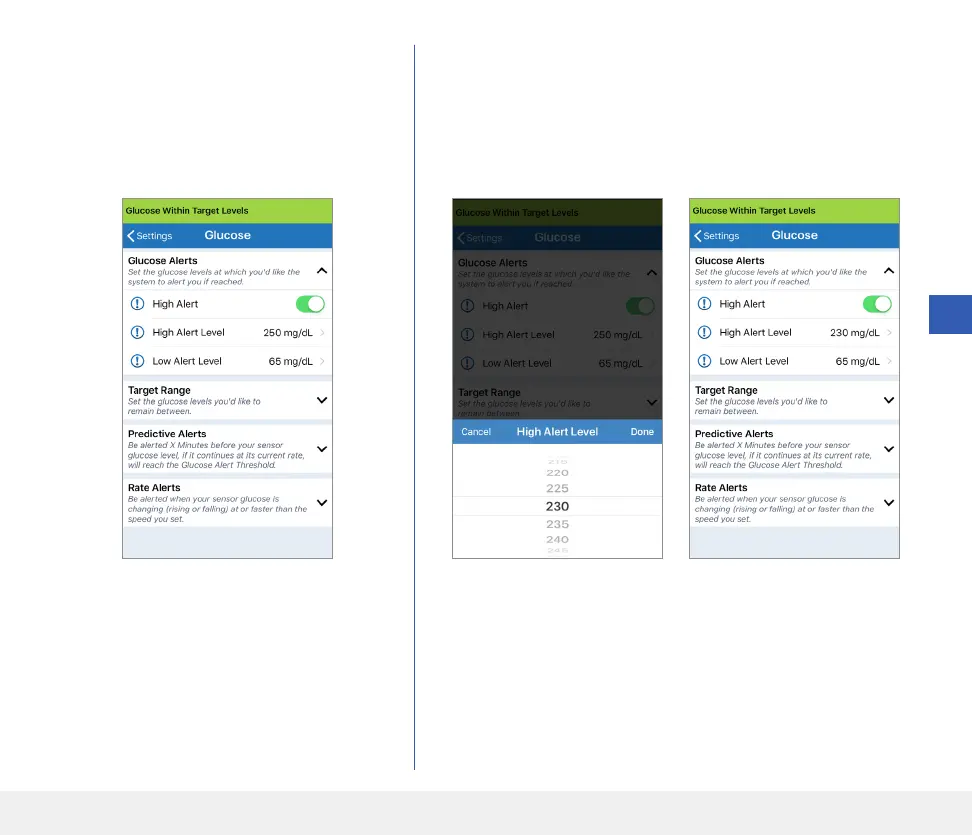
1. Tap Menu > Settings > Glucose to
display the GLUCOSE SETTINGS
screen.
2. Under Glucose Alert Levels, tap High Alert
and select the appropriate High Glucose Alert level.
• Tap Done when complete.
• Repeat step to make your Low Alert selection.



 To Next Page