8
95
Eversense E3 CGM User Guide
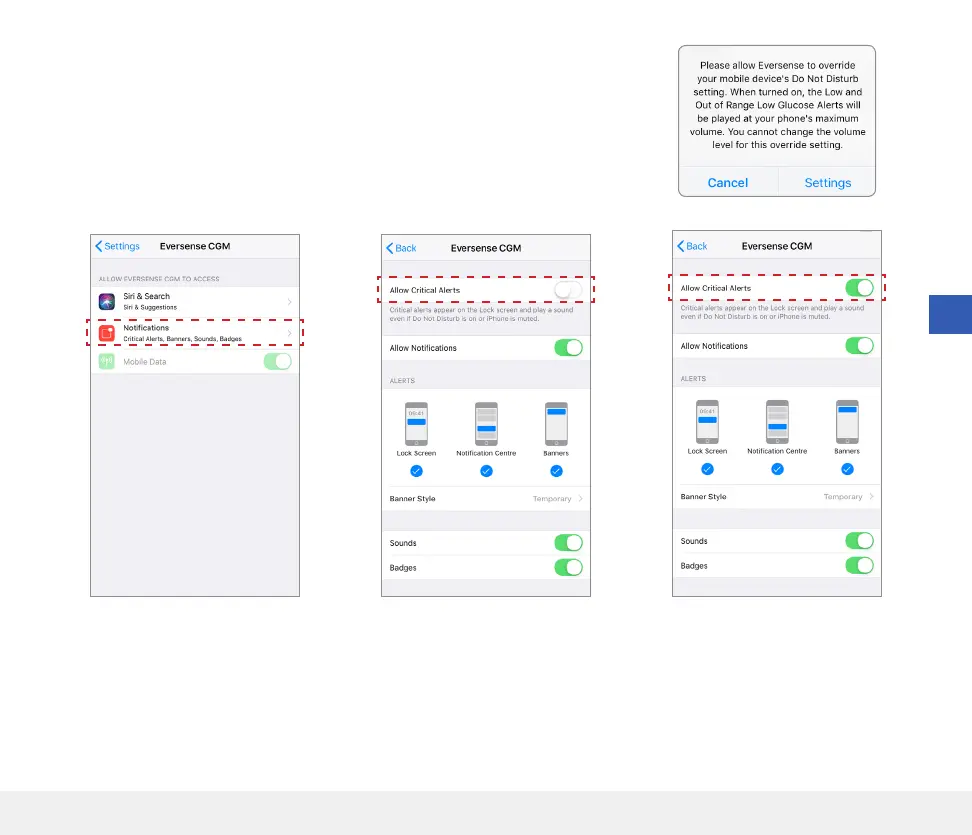
Note: If you tap Don’t Allow in Step 3, you cannot turn on the Low
Glucose Override setting. To turn this setting on at another time, when you
tap Settings from Step 2, the Eversense settings in your mobile device
settings page will be displayed. Tap Notications > Allow Critical
Alerts. Then you can turn on the switch for Low Glucose Override in the
Eversense App.



 To Next Page