Model 5601ACO2 Automatic Changeover Unit
INSTALLATION Revision 1.2 Page 2-3
MSC: The bottom row of the 16 pin terminal strip has the two GPI Outputs from the A and B
5601MSC units and a pair of GPI inputs that will be connected to both the A and B 5601MSC
units.
The cables can be secured into the removable portion of the terminal strips using a small
screwdriver. The removable part of the terminal strip is then inserted into the rear panel and
secured using the hold down screws. The pinout of this connector is shown in Table 2-3.
GND GND ACO GPI1 ACO GPI2 GND GND
GPO1
ACO
GPO2
GND GND
MSC A
GPO1
MSC A
GPO2
MSC B
GPO1
MSC B
GPO2
B GPI1
MSC A &
B GPI2
Table 2-3: ACO CTRL/STATUS and MSC GPIO Terminal Strip Pin Definitions
2.1.4. Ethernet Connections
The 5601ACO2 can be configured using the VistaLINK
®
-C Configuration tool connected by Ethernet.
(See section
5.1 for information on configuring the IP address of the 5601ACO2 and section 5.1.1 for
information about installing and using the VistaLINK
®
software)
The 5601ACO2 is designed to be used with either 10Base-T (10 Mbps) or 100Base-TX (100 Mbps)
also known as Fast Ethernet, twisted pair Ethernet cabling systems. When connecting for 10Base-T
systems, category 3, 4, or 5 UTP cable as well as EIA/TIA – 568 100Ω STP cable may be used. When
connecting for 100Base-TX systems, category 5 UTP cable is required. The cable must be “straight
through” with a RJ-45 connector at each end. Make the network connection by plugging one end of
the cable into the RJ-45 receptacle of the 5601ACO2 and the other end into a port of the supporting
hub.
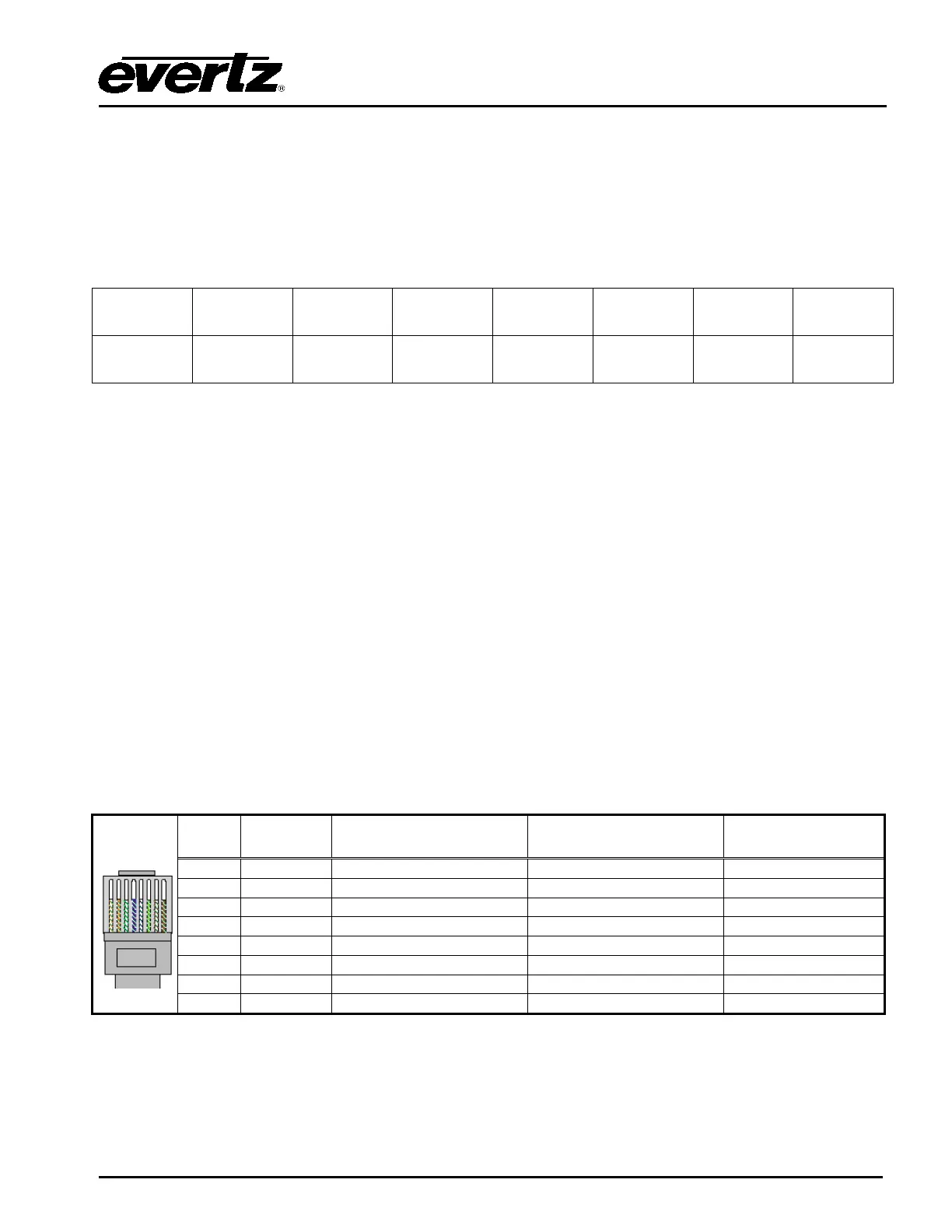
The straight-through RJ-45 cable can be purchased or can be constructed using the pinout information
in Table
2-4. A colour code wiring table is provided in Table 2-4 for the current RJ 45 standards (AT&T
258A or EIA/TIA 258B colour coding shown). Also refer to the notes following the table for additional
wiring guide information.
Pin
1
AT&T 258A or
EIA/TIA 568B
Table 2-4: Standard RJ45 Wiring Colour Codes



 To Next Page