Model 5601ACO2 Automatic Changeover Unit
Page 5-6 Revision 1.2 VistaLINK
®
CONFIGURATION
5.4.8. GPO Voting
For brevity, only Channel 1 (GPO 1) will be discussed in the manual.
Channel 1: If set to include, Channel 1 will be included in the voting process. If set to exclude, the
input will not be included in the process.
5.5. Monitoring the GPO Status
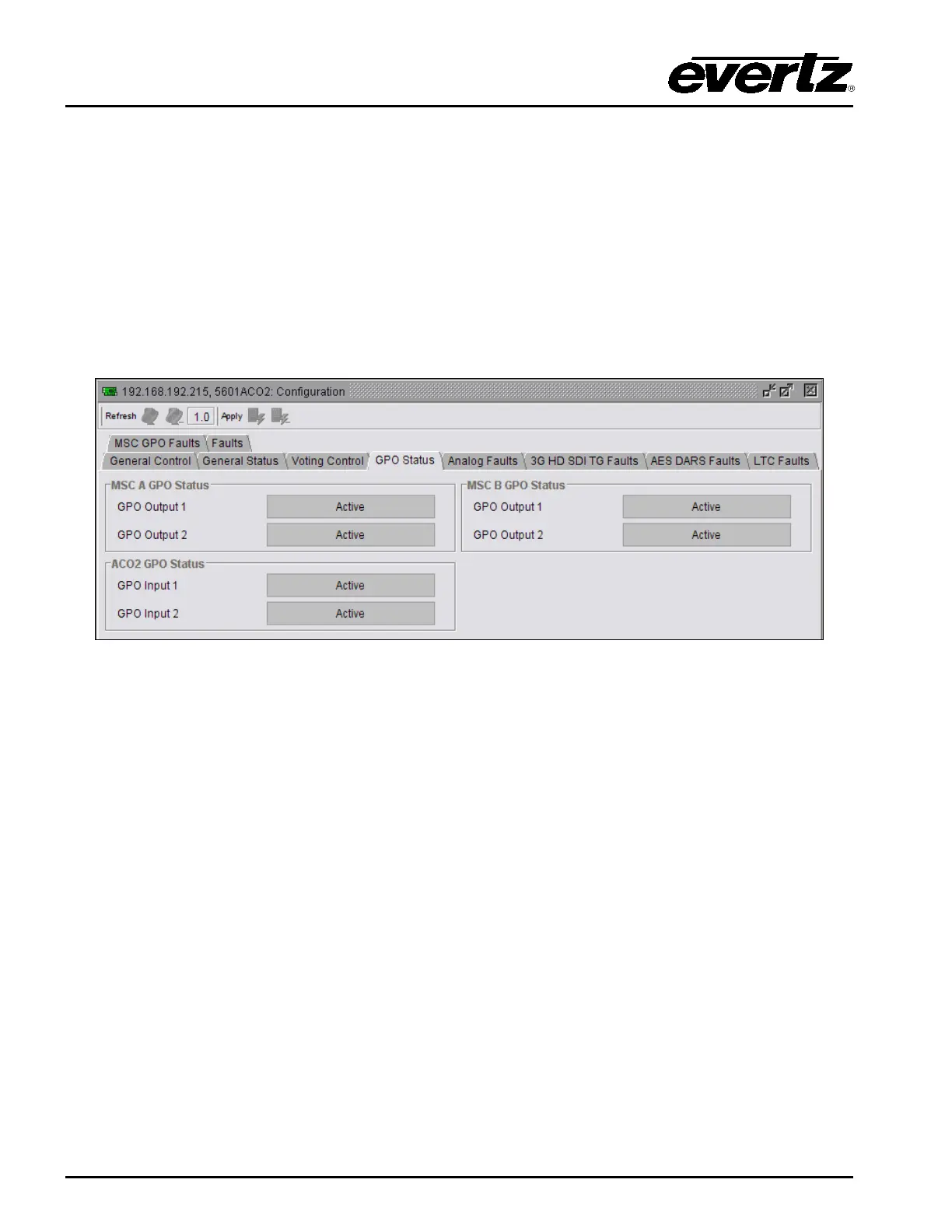
The GPO Status tab enables the user to view the status of various GPO Input and Output conditions
for the 5601ACO2. These status conditions will not be updated live unless the auto refresh is enabled.
For brevity, only MSC A GPO Status will be discussed in the manual.
Figure 5-4: VistaLINK
®
Monitoring – GPO Status
5.5.1. GPO Status Tab
MSC A GPO Status: Displays the status of the two GPOs from the 5601MSC on bank A. An “Active”
condition means the GPO is being asserted by the 5601MSC (pulled low). The
5601MSC can be configured to activate the GPOs on various fault conditions
such as fan failure or GPS loss.
MSC B GPO Status: Displays the status of the two GPOs from the 5601MSC on bank B.
ACO2 GPO Status: Shows the current status of GPOs of the 5601ACO2. See section
3.4 for
information on how these GPOs operate.



 To Next Page