Model 5601ACO2 Automatic Changeover Unit
VistaLINK
®
CONFIGURATION Revision 1.2 Page 5-7
5.6. 5601ACO2 Fault Trap Controls
Figure 5-5 to Figure 5-10 show the six tabs used to determine which SNMP trap messages will be sent
by the 5601ACO2.
5.6.1. Setting the Analog Faults
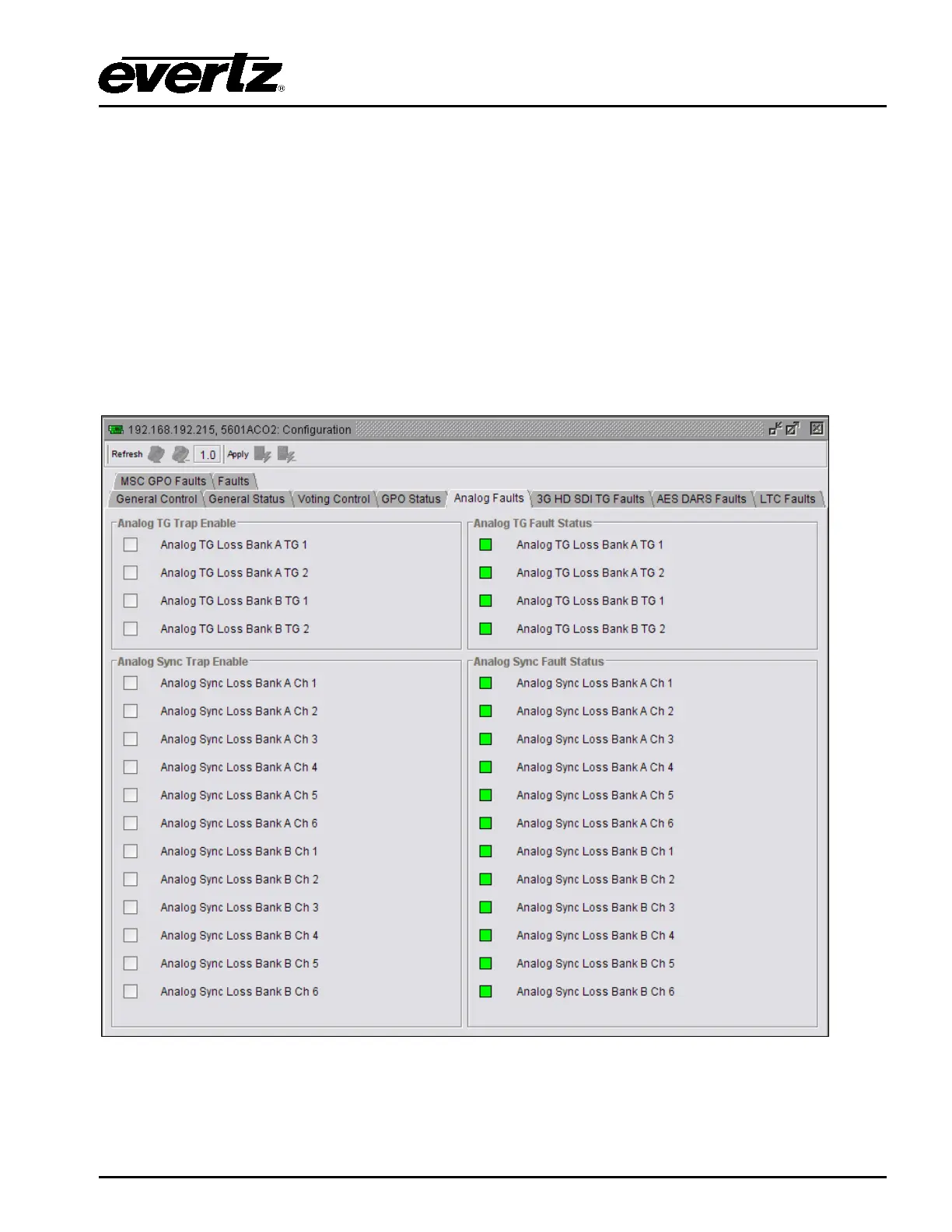
The Analog Faults control, as illustrated in Figure
5-5, allows the user to enable or disable Analog TG
traps and view trap status. To enable a particular trap, simply click the box located beside each trap so
that a check-mark appears. When a check-mark is present, the trap is enabled. When a check-mark is
not present, the trap is disabled.
The Analog TG Fault Status section displays whether a fault is active or not. If the box is green, then
the corresponding fault is not active. If the box is red, then the corresponding fault is active.
Figure 5-5: VistaLINK
®
Monitoring – Analog Faults



 To Next Page